 Apps · Android · v1.0
SowTimer
A seed-starting and planting calendar from your local frost dates.
SowTimer turns your frost dates into a plan for every crop you grow: when to start seeds indoors, harden off, transplant, sow outdoors and harvest.
Every core feature free, with ads. Pro unlock $3.99, once.
What it does
- Offline
- No account
- No location permission
- Android
Dates for your garden
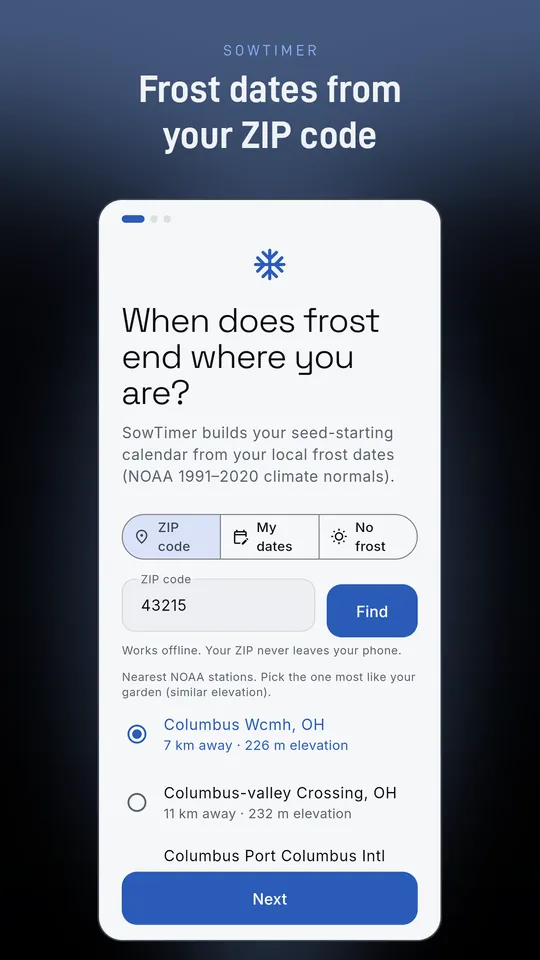
Enter a ZIP code and pick one of the three nearest weather stations. Frost dates come from NOAA 1991-2020 climate normals, built into the app. Choose Safe, Typical or Bold, or type your own.
60+ crops with cited timings
Vegetables, herbs and flowers, each timed from university extension guides, with the sources listed in the app. Start indoors or sow direct, spring or fall, or add your own crop.
Every crop on its own timeline
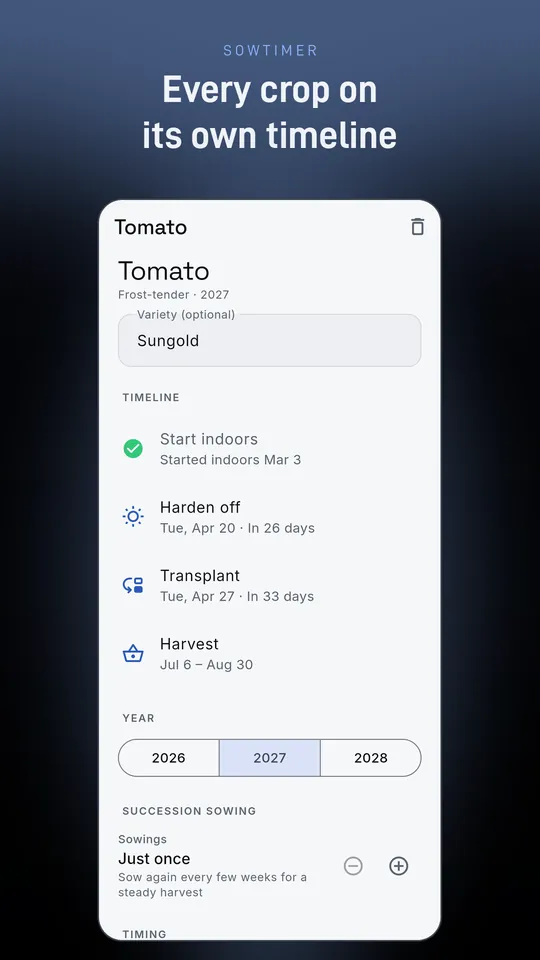
Start indoors, harden off, transplant, sow outdoors and harvest, each with a date. Succession sowing repeats every few weeks and stops before frost.
Always know what's next
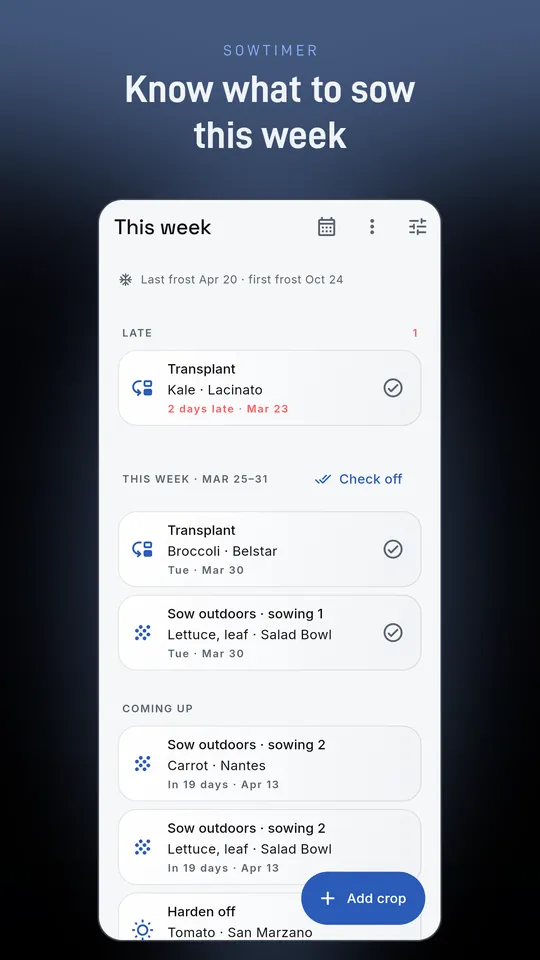
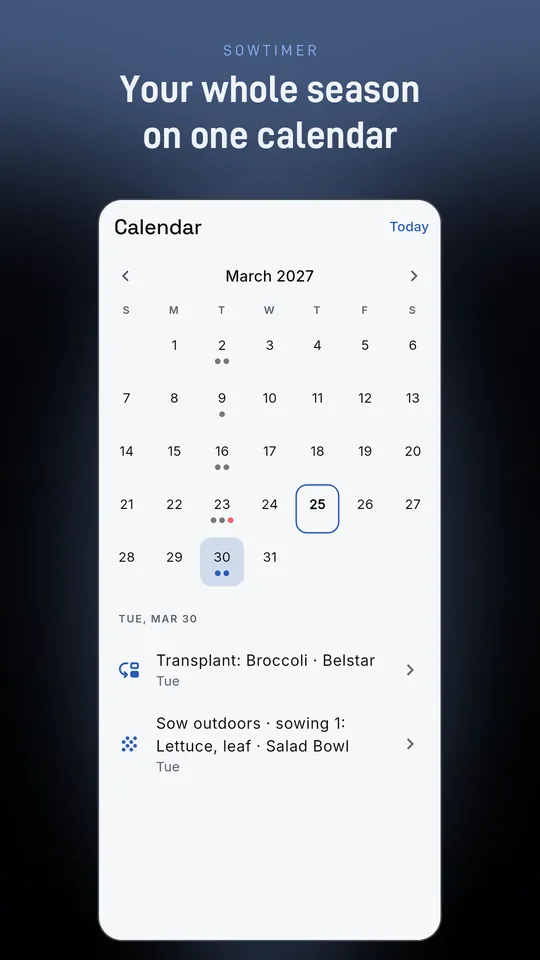
“This week” shows what's late, due and coming up, next to a month calendar of every job. Did it on another day? Your plan follows the real dates.
Reminders that arrive
One reminder per job day at the time you choose, gentle nudges for missed jobs and an optional Sunday summary. Mute any planting.
Private by design
Works offline. No account and no sign-up. Back up to a file and restore it, at no cost. Works in the southern hemisphere too.
A look inside
Free, or Pro once
Every crop, planting, succession sowing, reminder, the calendar, backups and a home-screen widget with this week's jobs. A small ad on the home screen, shown only after you've saved your first plan. Optional short video: watch one to try every Pro feature for 24 hours, with no ads during those 24 hours. It's always your choice.
One-time purchase, no subscription. Multiple gardens, each with its own frost dates (home, allotment, cabin), copy last year's plan in one tap, export to your calendar (.ics) or a spreadsheet (CSV), no ads and extra accent colors.
Every core feature free, with ads. Pro unlock $3.99, once.
Private by design
Your ZIP code is looked up on your phone, against weather station data built into the app, and never leaves it. SowTimer doesn't ask for location permission. Your plantings, notes and history stay on your phone; there is no account and no server of ours. The free version shows ads from Google AdMob, which uses your device's advertising ID. Pro removes ads.