 Extensions · Chrome & Edge · v1.0
Access Audit
Coming soon
Find accessibility problems on the page you're on.
One click checks the current page against WCAG 2.0, 2.1 and 2.2 rules, outlines every issue on the page and shows how to fix it. It runs inside your browser and sends the page nowhere.
Free: unlimited scans, every rule. Pro coming soon. No account.
What it does
- WCAG 2.2 A & AA
- Unlimited free scans
- No account
- No tracking
- Chrome & Edge
One click, the whole page
Click the toolbar icon or press Alt+Shift+A. A panel opens on the page and checks it against WCAG levels A and AA (AAA optional) plus common best practices, using the bundled open-source axe-core engine.
See it on the page
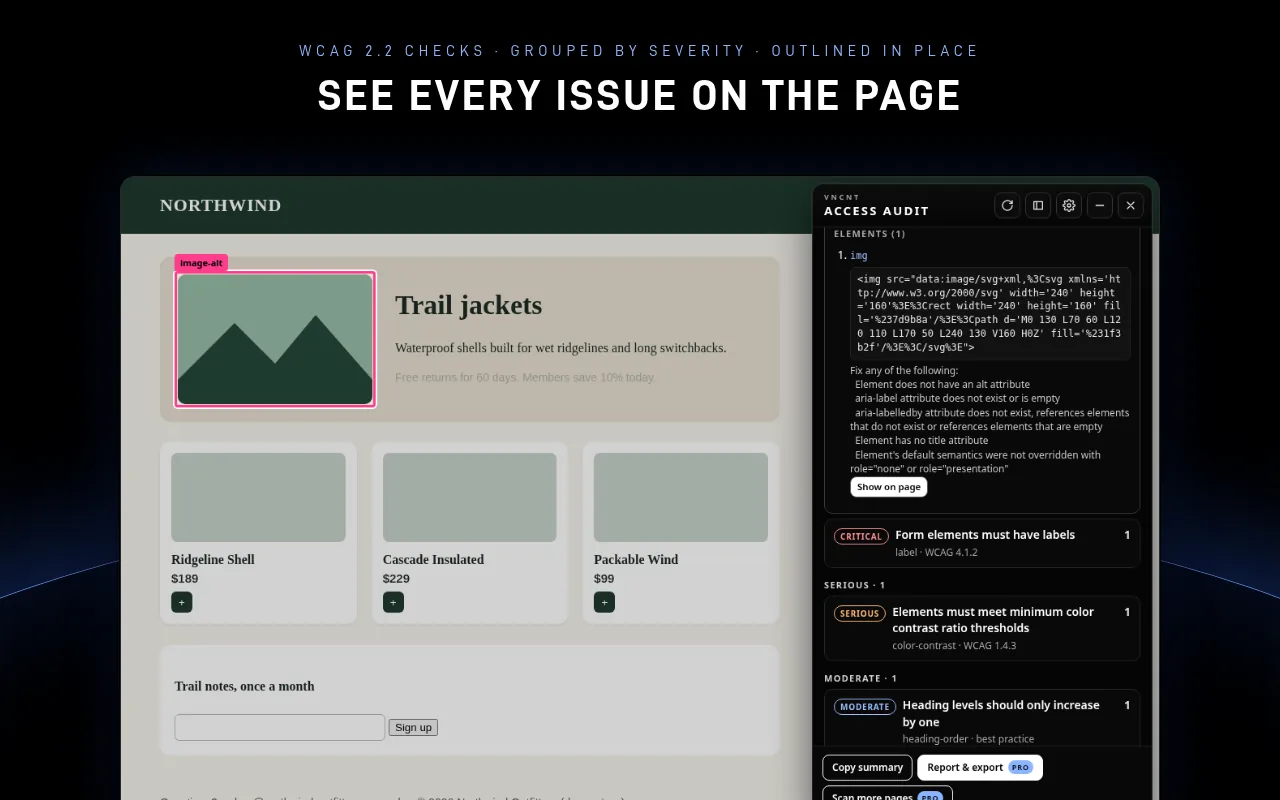
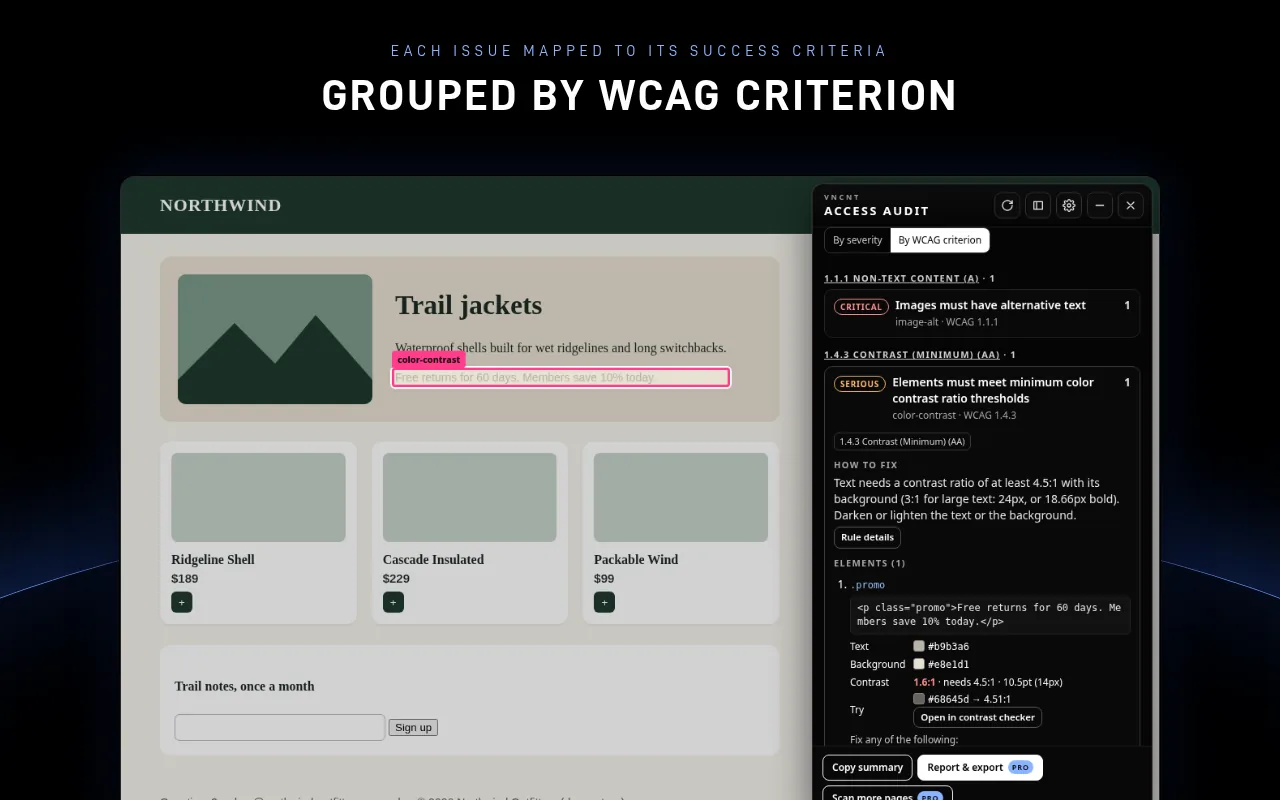
Issues are grouped by severity (critical, serious, moderate, minor) or by WCAG success criterion. Click “Show on page” to outline the element, or highlight all of them at once.
How to fix each issue
Every issue comes with a plain-language fix and the affected HTML. A “Needs review” list collects the things a person has to judge.
Contrast with a passing colour
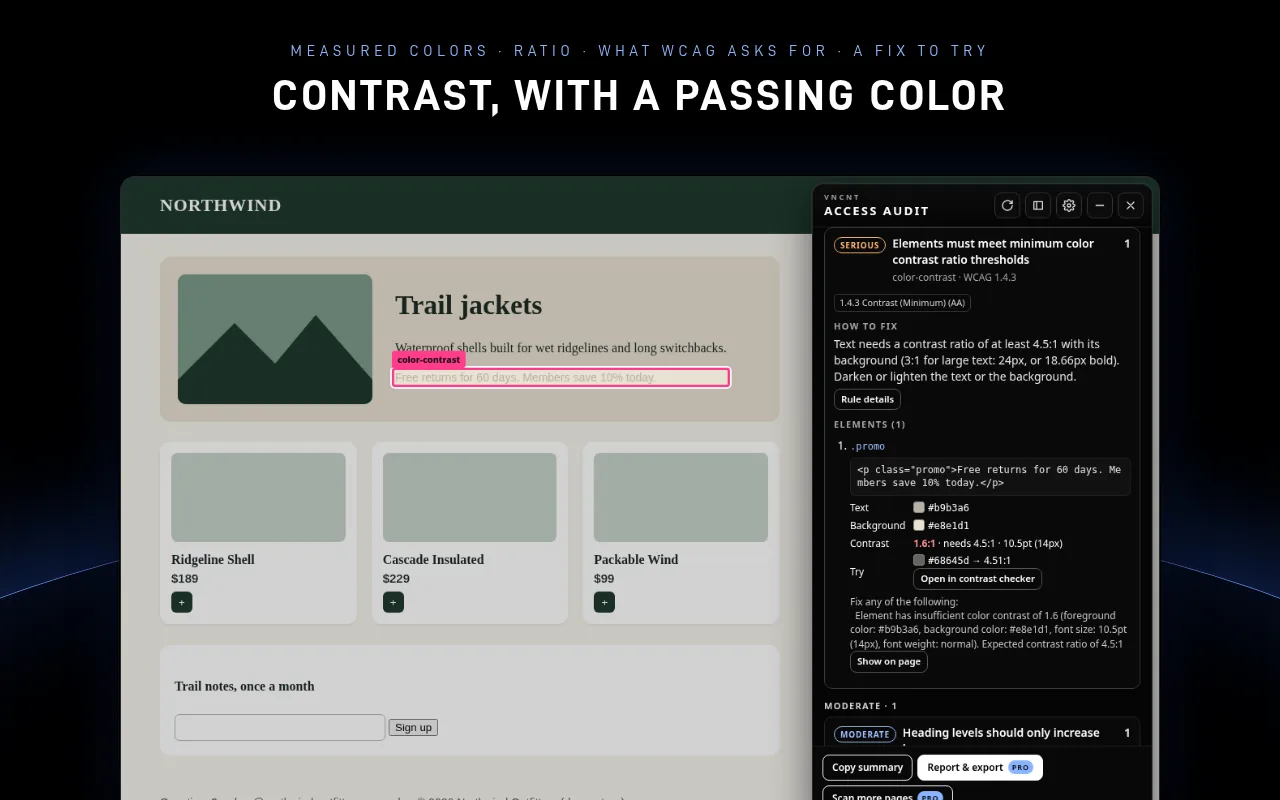
See the measured colours, the ratio, what WCAG asks for and a nearby colour that passes. A contrast checker, heading map and landmark map are built in.
Copy a summary
Copy a plain-text summary of the results for a ticket or a chat. Reports and issue exports come with Pro.
Private by design
Runs only on the tab where you click it, with three permissions: activeTab, scripting and storage. No access to other sites, no account, no analytics and no network requests.
A look inside
Free now, Pro soon
Unlimited single-page scans with every rule, severity and criterion grouping, on-page outlines, fixes, contrast tools, heading and landmark maps, and copy summary. No account and no daily limit.
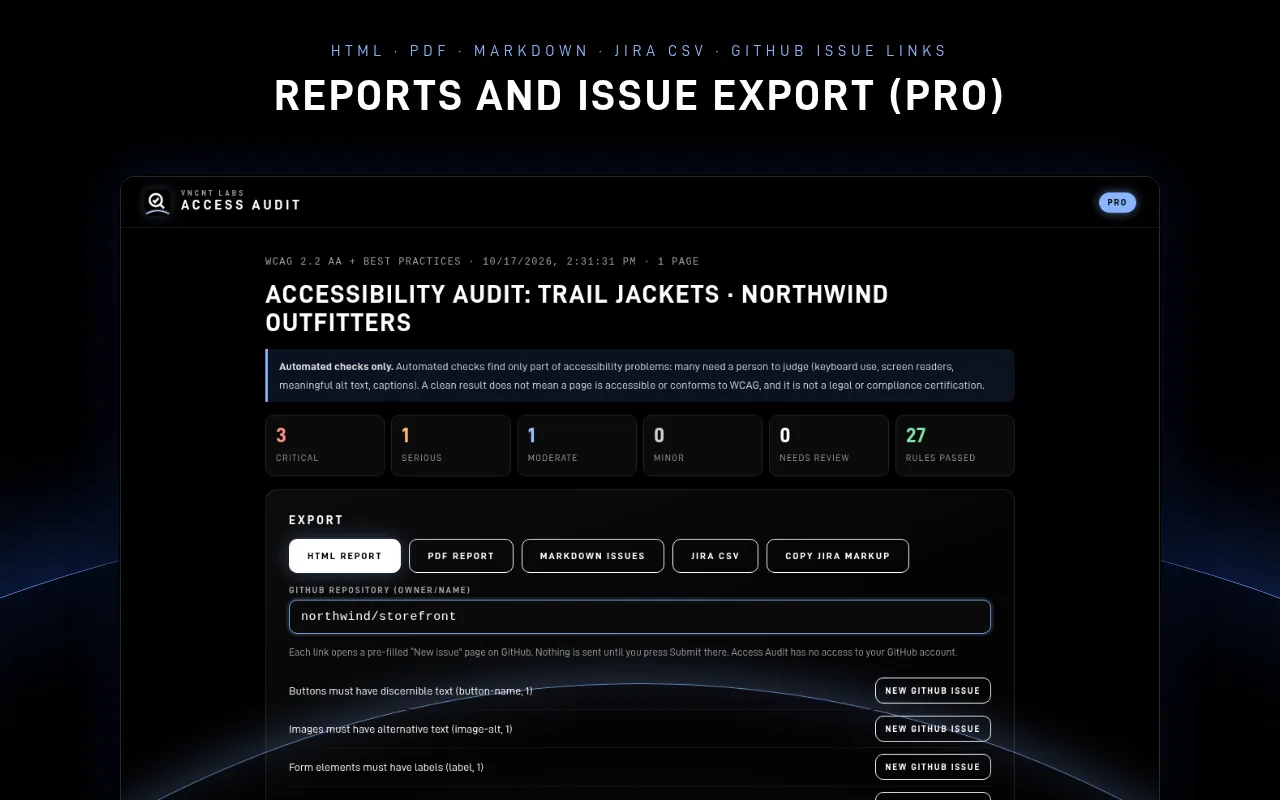
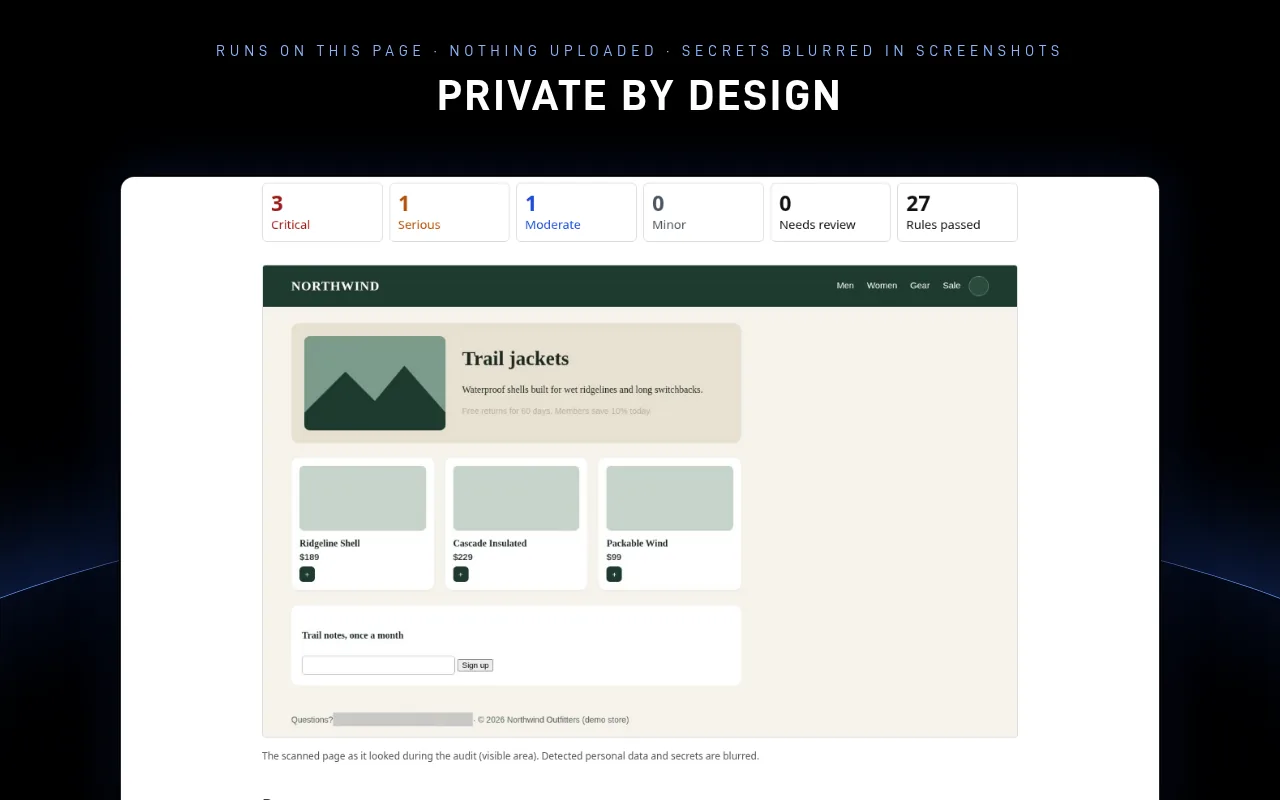
HTML and PDF audit reports with screenshots (personal data blurred automatically), Markdown, Jira CSV and pre-filled GitHub issue exports, on-device AI fix suggestions where your browser offers them, and checks of several pages on the same site. Pricing announced at launch.
Pro is not available yet. The first release is the free version.
Your pages stay in your browser
Access Audit checks the page inside your browser. VNCNT Labs never receives the pages you check or the results, and the free version makes no network requests. Settings stay on your computer, and free scans are not saved: results disappear when you close the panel.
What automated checks can and can't do
- Automated checks find only part of accessibility problems. Keyboard use, screen-reader experience, meaningful alt text and captions need a person to judge.
- A clean result does not mean a page is accessible or conforms to WCAG. Results are not legal advice or a certification of any kind.
- Use Access Audit as an aid alongside manual testing.
- Some pages (browser settings, extension stores) don't allow extensions to run.
Access Audit
Support: [email protected] · Contact
Access Audit is an independent product of VNCNT Labs. It uses the open-source axe-core engine, © Deque Systems, Inc., under the Mozilla Public License 2.0, and is not affiliated with or endorsed by Deque Systems. WCAG is a W3C standard; Access Audit is not affiliated with or endorsed by W3C. Google and Chrome are trademarks of Google LLC. Microsoft and Edge are trademarks of Microsoft Corporation.