 Extensions · Chrome & Edge · v1.0
Casefile
Coming soon
One click. The whole bug.
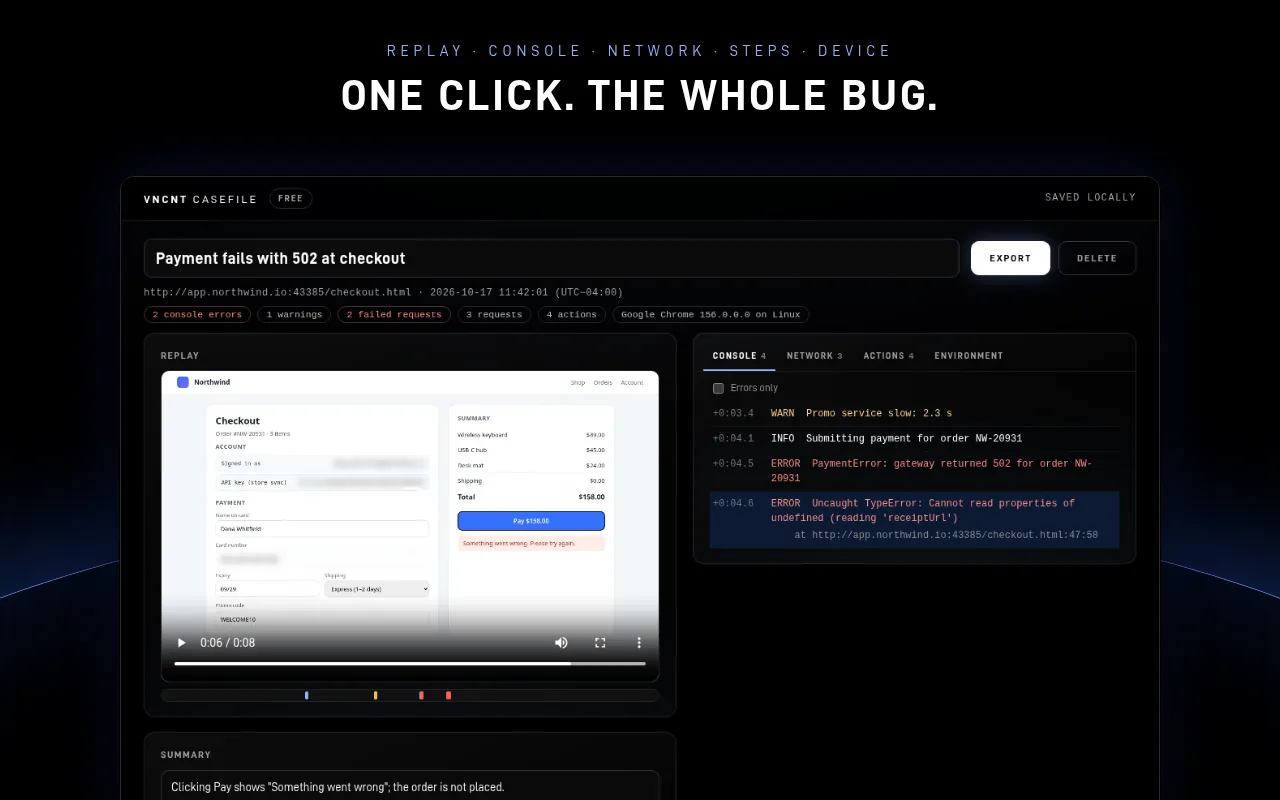
Press one button and Casefile captures what a developer needs to fix a bug: a video replay or screenshot, console errors, failed network requests, the steps you took and your device details. Reports stay on your computer.
Free: unlimited reports, 2-minute replays, every export. Pro coming soon. No account.
What it does
- Video replay
- Console & network
- No account
- No upload
- Chrome & Edge
Reproduce once
Click the icon and press Capture a bug, or Alt+Shift+B. Reproduce the problem, then press Finish report. Screenshot mode and an Instant report work without video.
Errors on the timeline
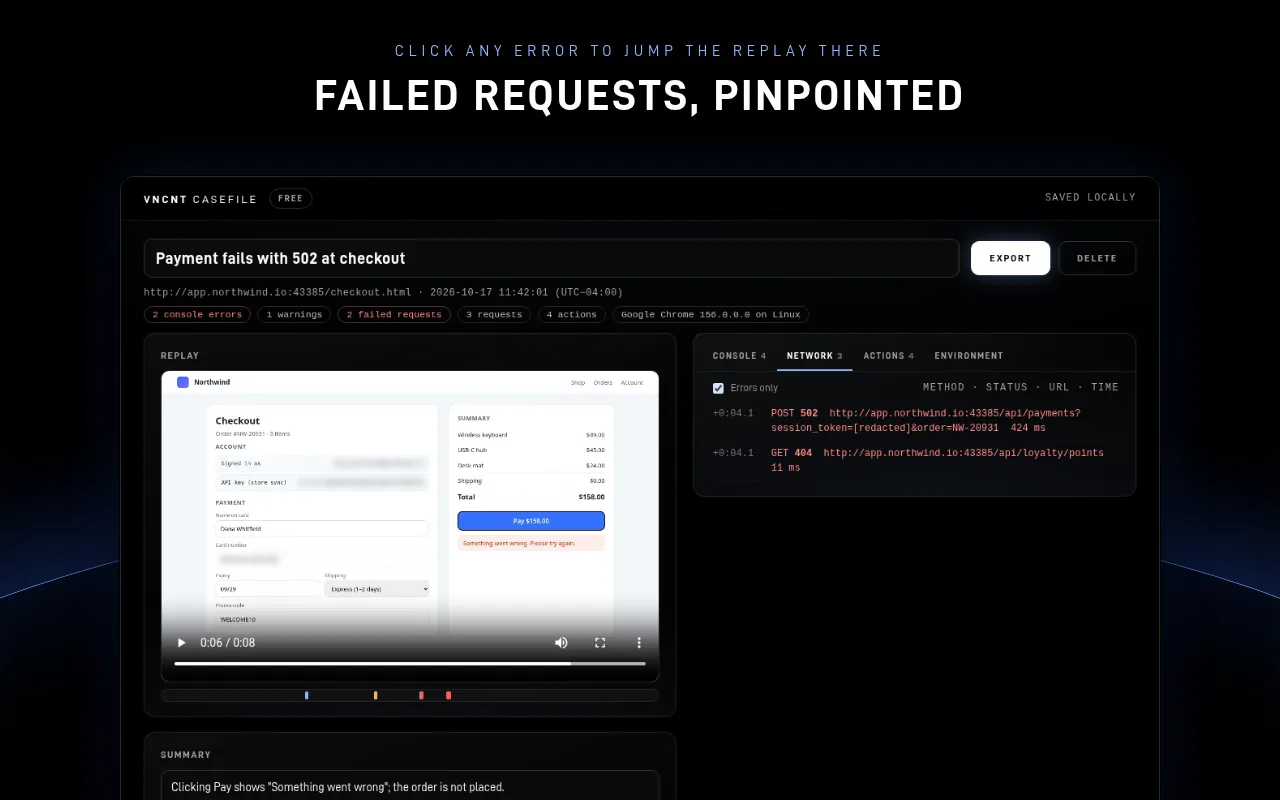
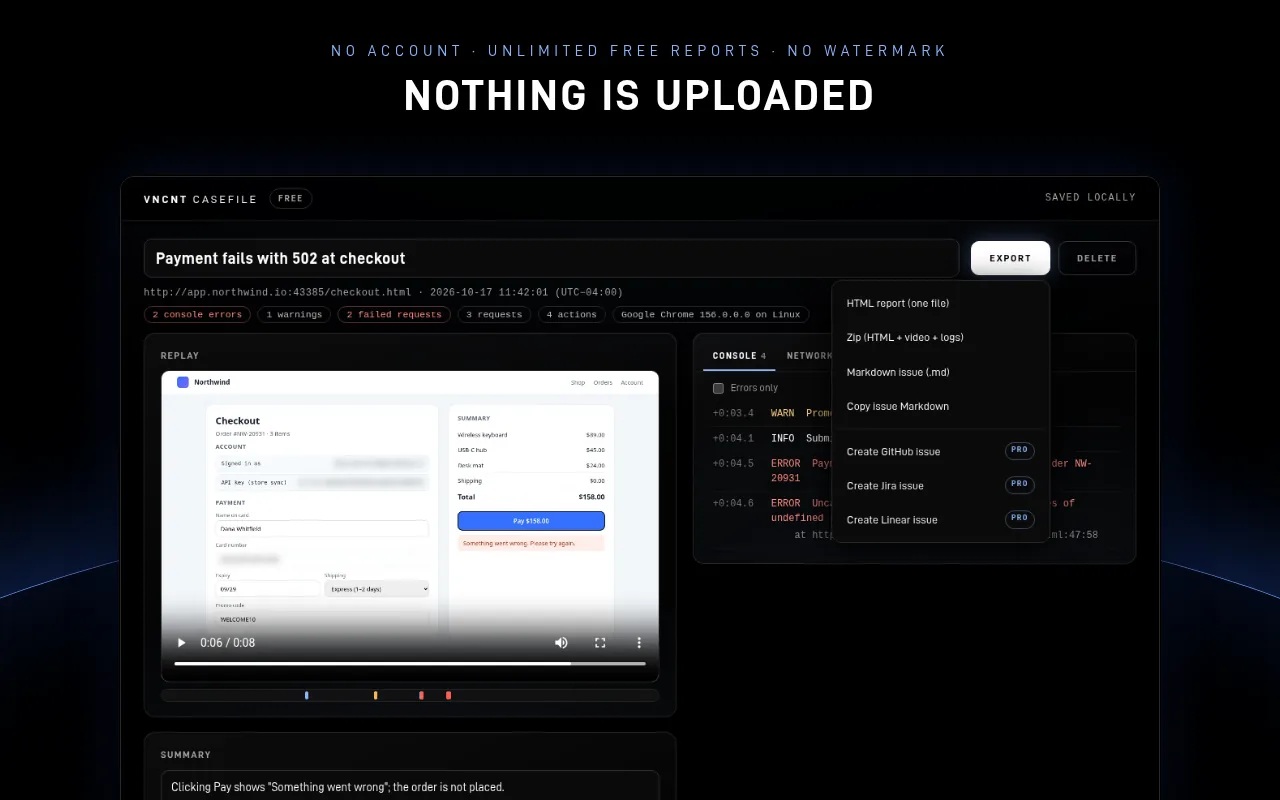
Every error and click is marked on the replay timeline. Click an error to jump to that moment in the video.
Console and network
Errors, warnings, uncaught exceptions and unhandled rejections, plus every request's method, address, status and timing, with failed ones highlighted.
Steps written for you
“Click ‘Pay now’”, “Select ‘Express’ from ‘Shipping’”, plus browser, OS, viewport, language and time zone, filled in automatically.
Share anywhere
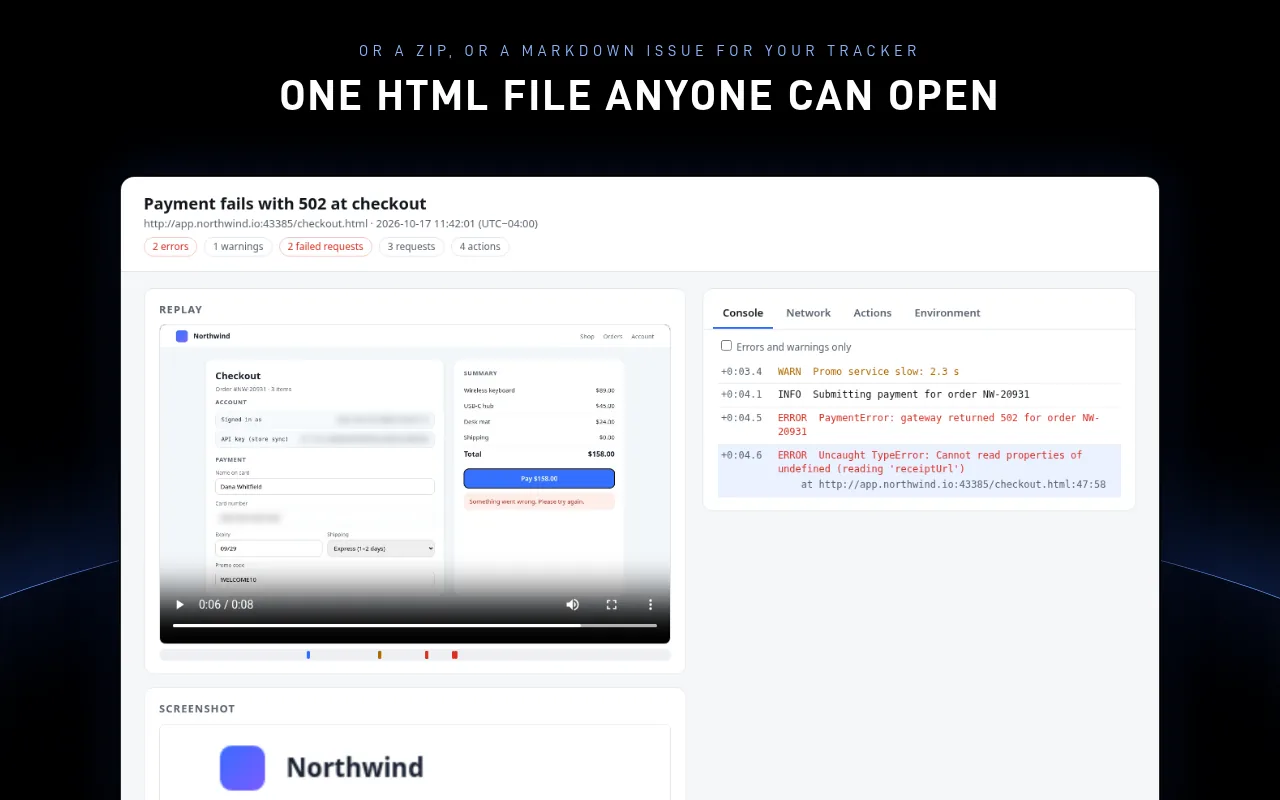
One self-contained HTML file that opens offline, a zip with the video and JSON logs, or a Markdown issue sized for GitHub, Jira and Linear.
Secrets redacted
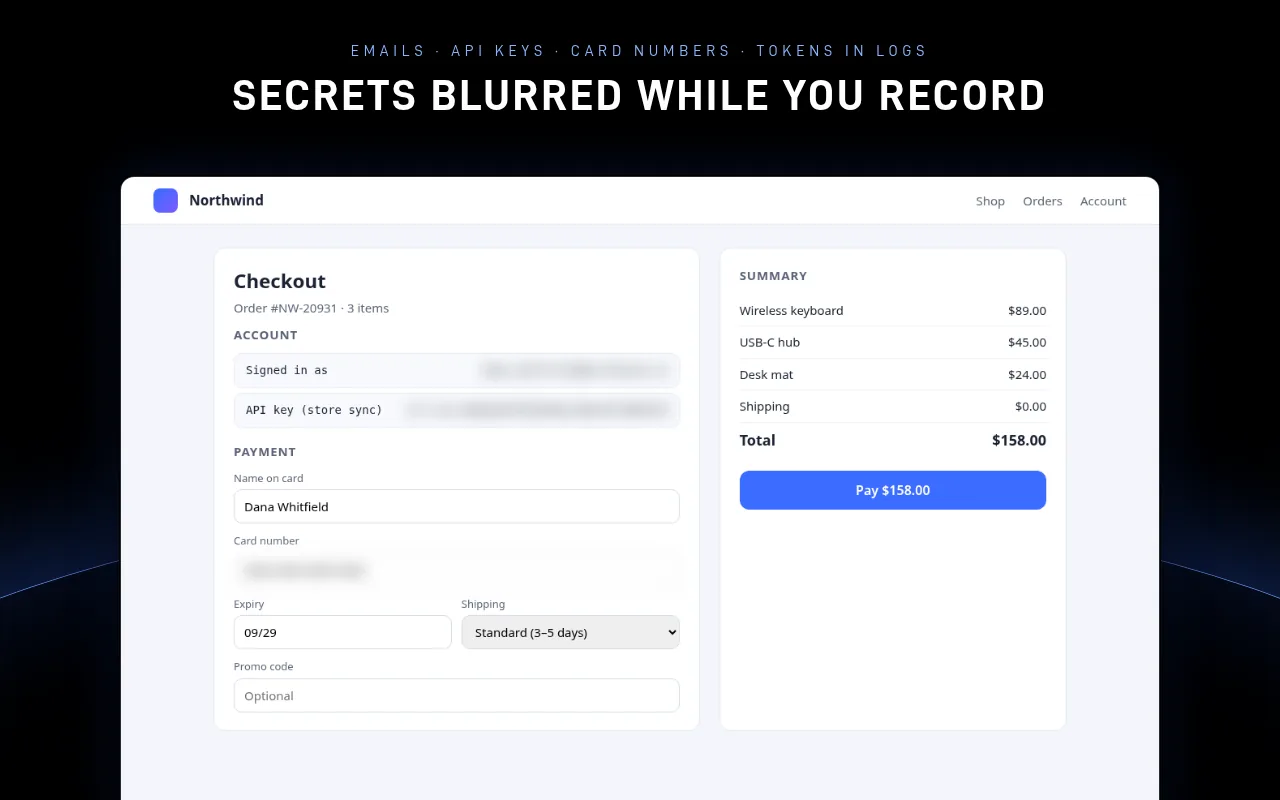
The Privacy Shield blurs emails, API keys, tokens and card numbers on screen while you record, and redacts them from logs before anything is saved. Password fields are never recorded.
A look inside
Free now, Pro soon
Unlimited reports, replays up to 2 minutes, screenshots, console and network logs, steps, environment and every export (HTML, zip, Markdown). No watermark and no account.
One-click GitHub, Jira and Linear issues with your own token, your logo and colours on reports, and replays up to 15 minutes. Pricing announced at launch.
Pro is not available yet. The first release is the free version.
Reports stay on your computer
Casefile captures only after you press Capture, only in that tab. Reports are stored in your browser on this computer until you delete them. VNCNT Labs never receives your reports or recordings, and the free version makes no network requests. Request and response bodies are not captured unless you turn that on.
Known limits
- Captures web pages, not desktop apps. Consoles of embedded frames from other sites aren't included.
- Errors from before you pressed Capture are included only if you turn on “Catch errors from page load”, which asks for access to all sites. Failed page loads are always listed.
- If the tab moves to another website during a capture, logs pause there until you click the Casefile icon. The replay keeps recording.
- Redaction reads text, not pictures. Review a report before you share it.
Casefile
Support: [email protected] · Contact
Casefile is an independent product of VNCNT Labs. GitHub is a trademark of GitHub, Inc. Jira is a trademark of Atlassian. Linear is a trademark of Linear Orbit, Inc. Google and Chrome are trademarks of Google LLC. Microsoft and Edge are trademarks of Microsoft Corporation. Not affiliated with or endorsed by any of them.