 Extensions · Edge · v1.0 · for UiPath Orchestrator
Orchestrator Toolkit
Free
Queues, exports and job alerts for UiPath Orchestrator.
A free toolkit for people who run Orchestrator every day. Retry or delete every matching queue item, not just one page of 50, export jobs, queue items and logs, and get a desktop alert when a job fails. It uses the documented Orchestrator API with your own access token, and nothing goes through a VNCNT Labs server.
Free: every feature, no account, no paid tier.
What it does
- Bulk retry & delete
- CSV & JSON
- Saved views
- Job alerts
- Trigger calendar
- Your own token
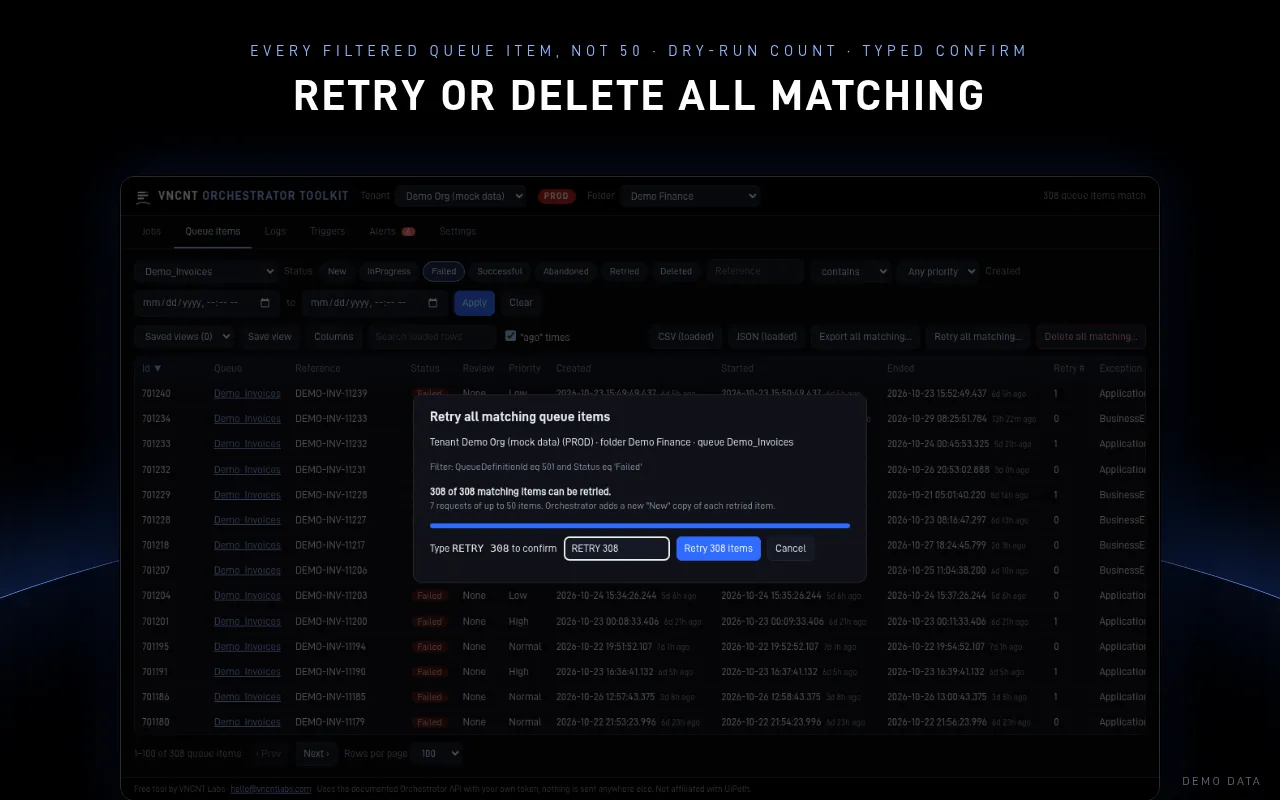
Retry or delete all matching
Filter queue items by queue, status, reference, priority and date, then retry or delete every match. A dry run counts exactly what will change, you type a confirmation such as RETRY 308, and items go in batches of 50 that stop on the first error.
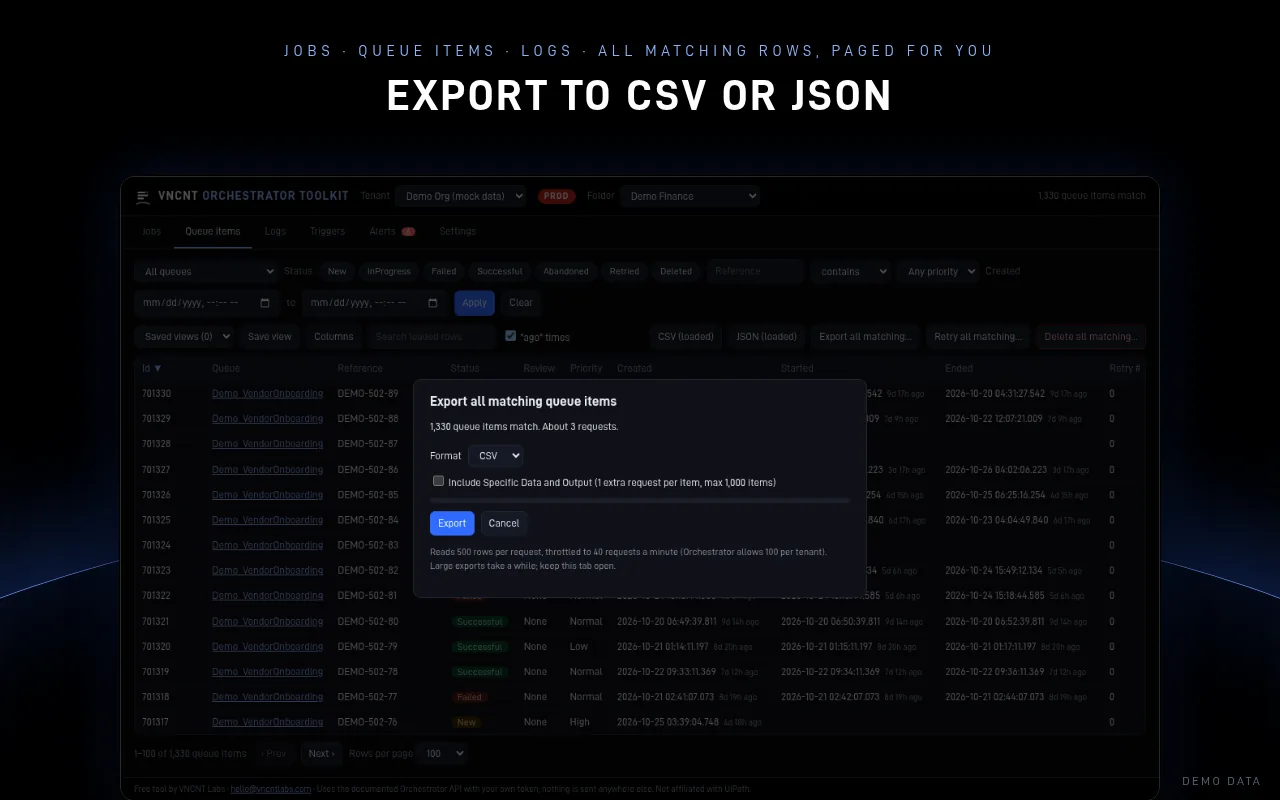
CSV or JSON
Export jobs, queue items and logs: what's on screen, or every matching row, paged and throttled for you. Excel-ready CSV with formula-safe cells.
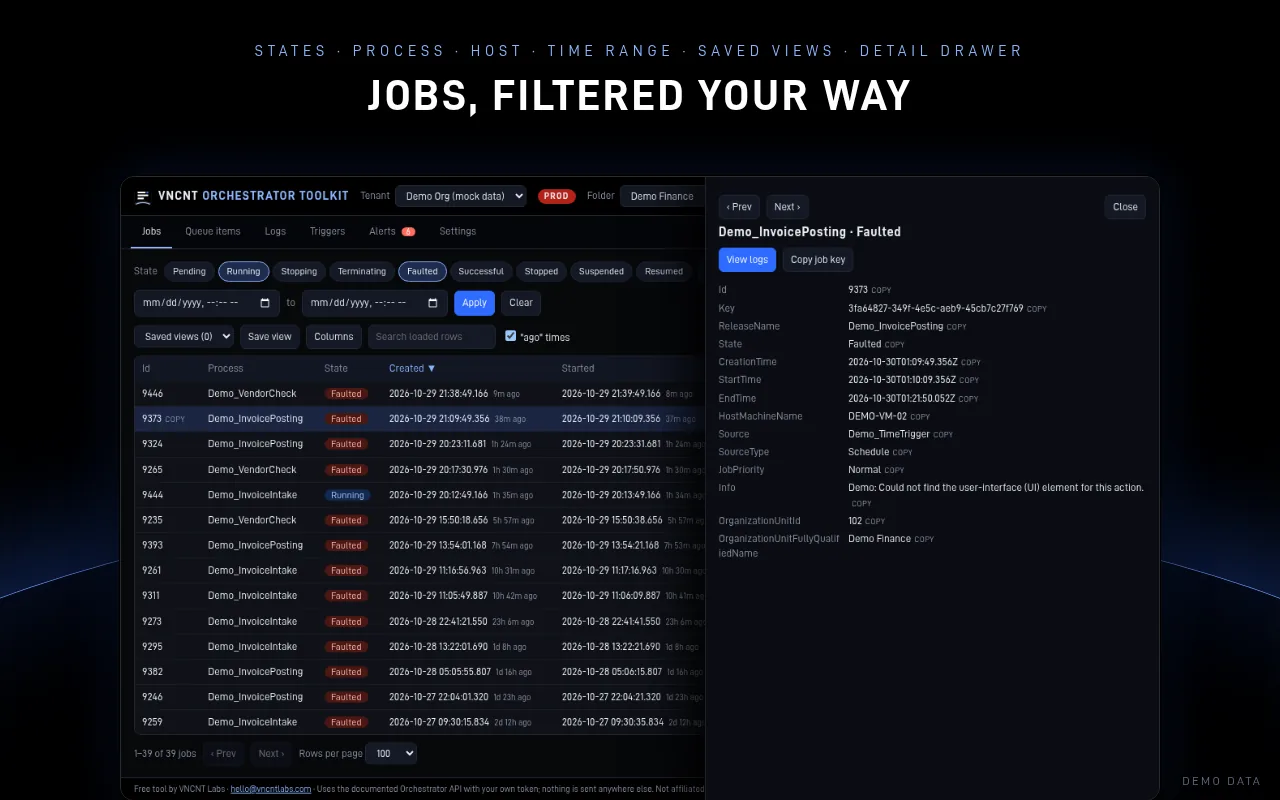
Jobs, queues and logs your way
Fast filters by state, process, host, robot and time. Show or hide columns, sort, save views, and open a detail drawer with keyboard navigation. Logs refresh every 15 seconds.
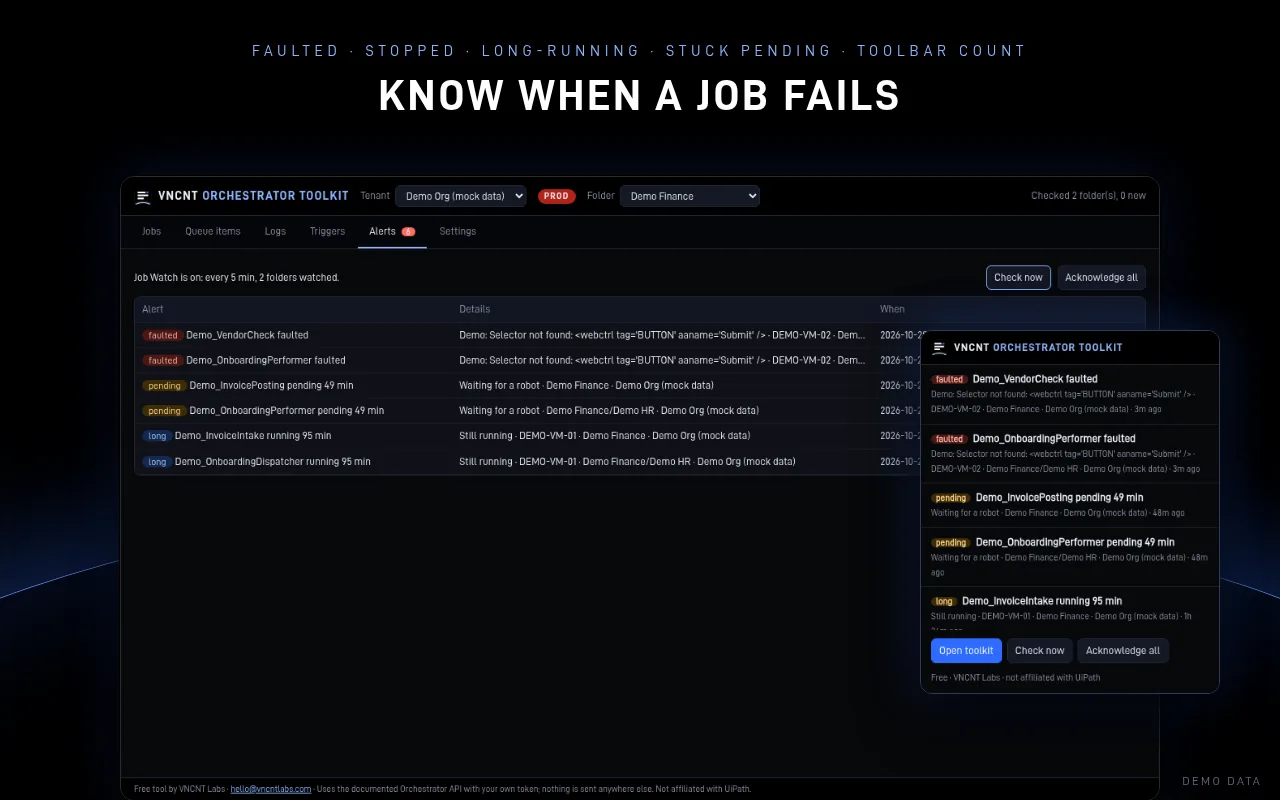
Know when a job fails
Desktop notifications when a job faults or stops, runs longer than your threshold, or waits too long for a robot. The toolbar badge counts open alerts.
See the week ahead
Every time trigger in a folder as a 7-day agenda in your local time, with CSV export.
Cloud and on-premises
Automation Cloud, Automation Cloud for Public Sector, and on-premises or Automation Suite Orchestrator. Several tenants and folders.
A look inside
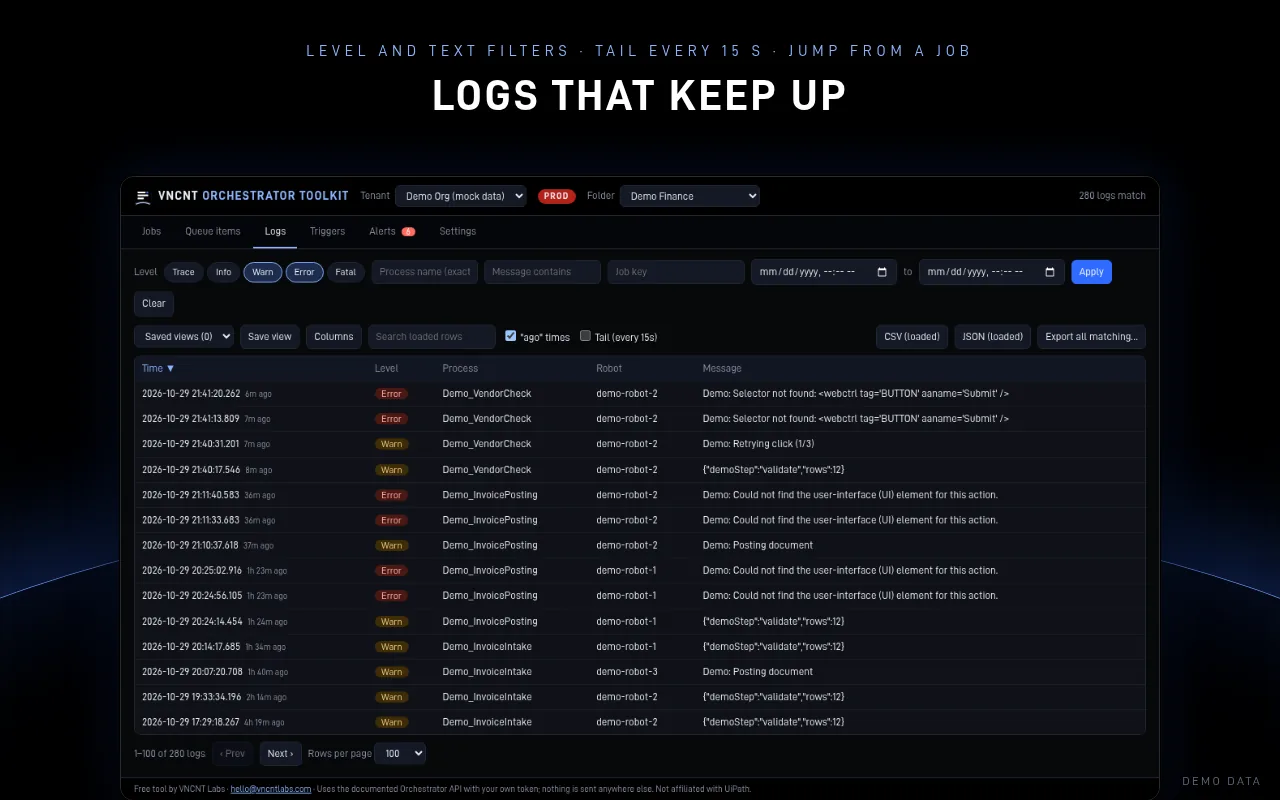
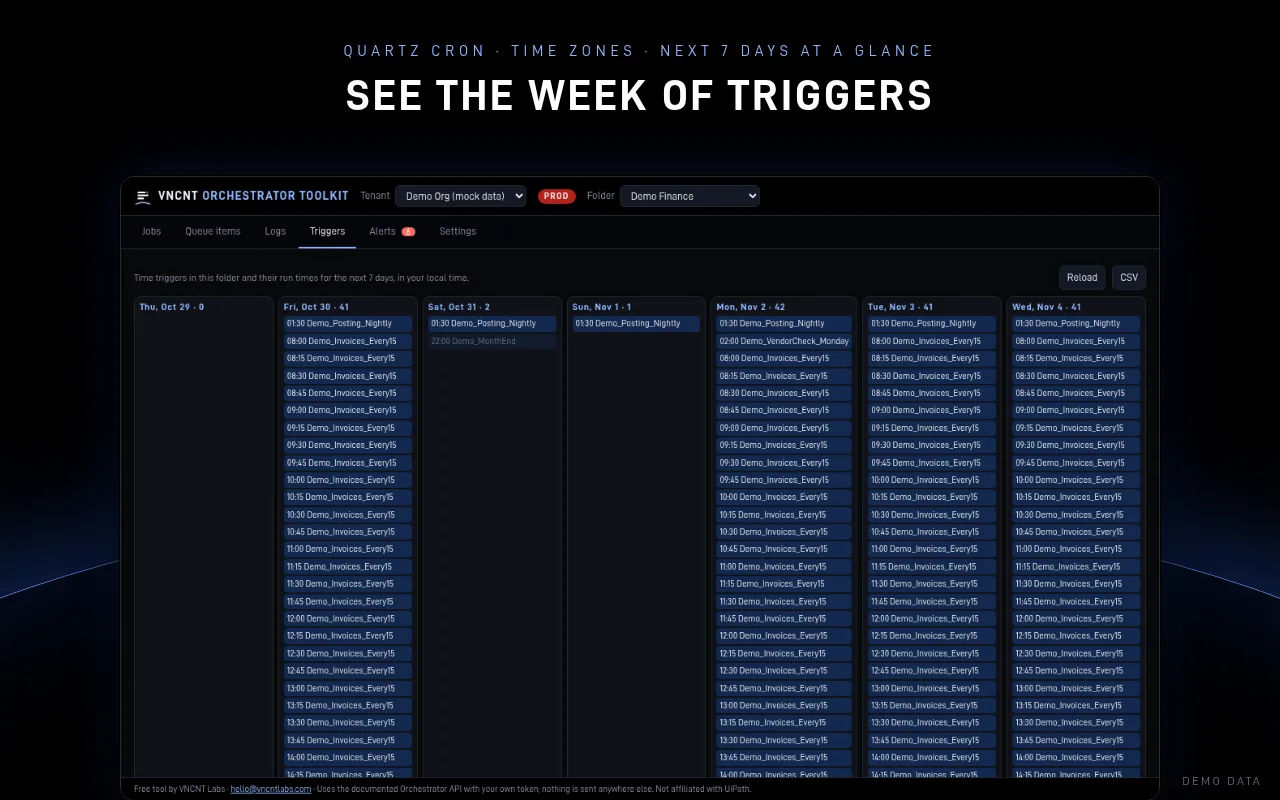
Screenshots show demo data from a test server, not a real tenant.
Free, all of it
Every feature: bulk retry and delete, CSV and JSON export, saved views, Job Watch alerts and the trigger calendar. No account, no licence and no paid tier.
Your token stays in your browser
Your access token is stored only in this browser's extension storage and is sent only to the Orchestrator address you enter. VNCNT Labs has no server for this extension and never receives your token or your Orchestrator data. No analytics, tracking or remote code.
Known limits
- You need a personal access token or an external application from your own Orchestrator account. Your Orchestrator role still limits what you can see and do.
- Bulk actions run in one folder at a time. Deleting skips items that are in progress unless you choose otherwise.
- Job Watch checks on a schedule (every 5 minutes by default) while your browser is open.
- For on-premises Orchestrator, your browser asks you to allow your server's address first.
Orchestrator Toolkit
Support: [email protected] · Contact
Orchestrator Toolkit is an independent product of VNCNT Labs. Not affiliated with or endorsed by UiPath. UiPath and Orchestrator are trademarks of UiPath Inc., used only to describe compatibility. Microsoft and Edge are trademarks of Microsoft Corporation.