 Plugins · Figma
Deckbloom
In review
Figma frames to editable PowerPoint slides.
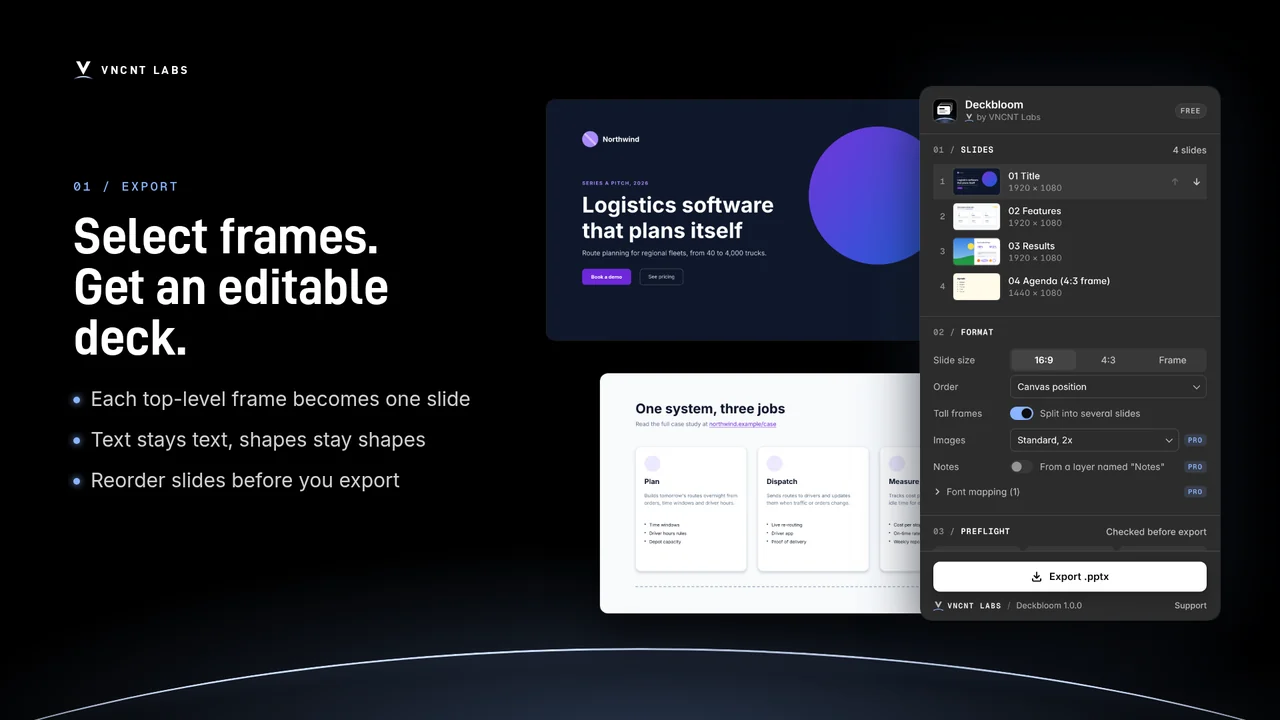
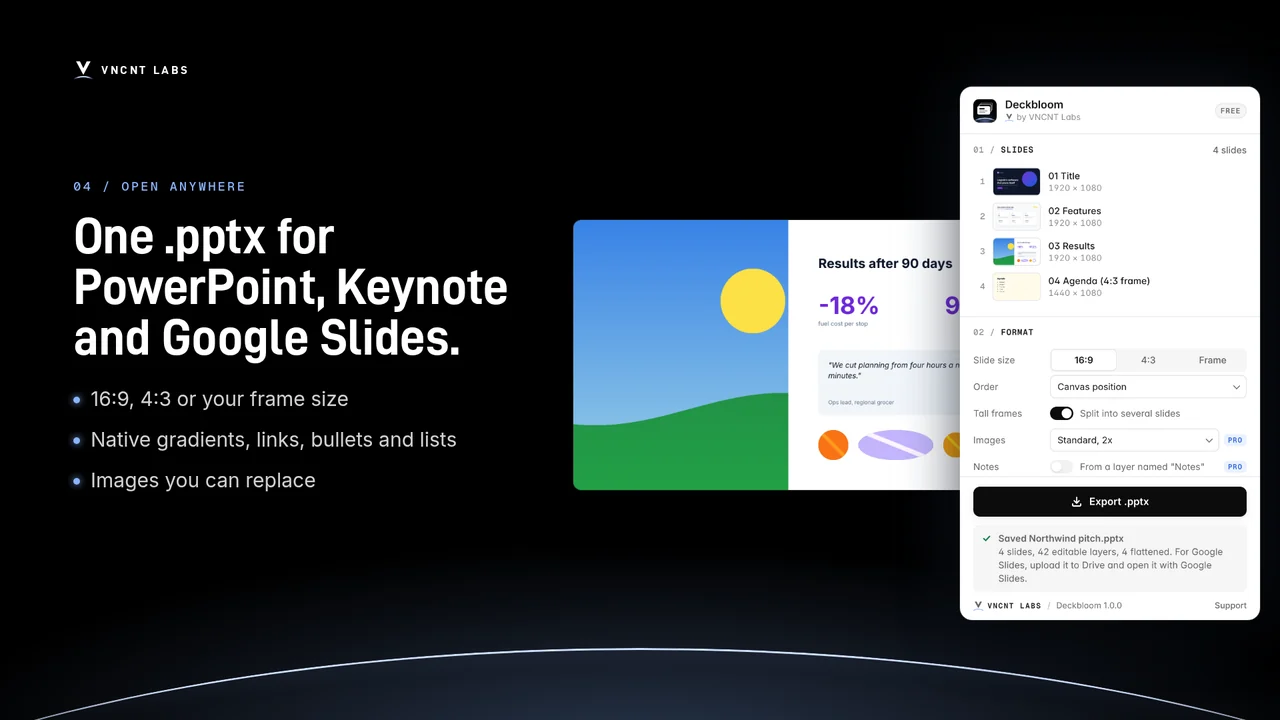
Deckbloom exports your Figma frames to a .pptx deck that people can edit. Text stays text, shapes stay shapes, and gradients stay native PowerPoint gradients. The file opens in PowerPoint, Keynote and Google Slides.
Free: up to 10 slides per export. Pro coming soon. No account.
A look inside
What it does
- PowerPoint
- Keynote
- Google Slides
- Editable text
- Runs locally
Select, check, export
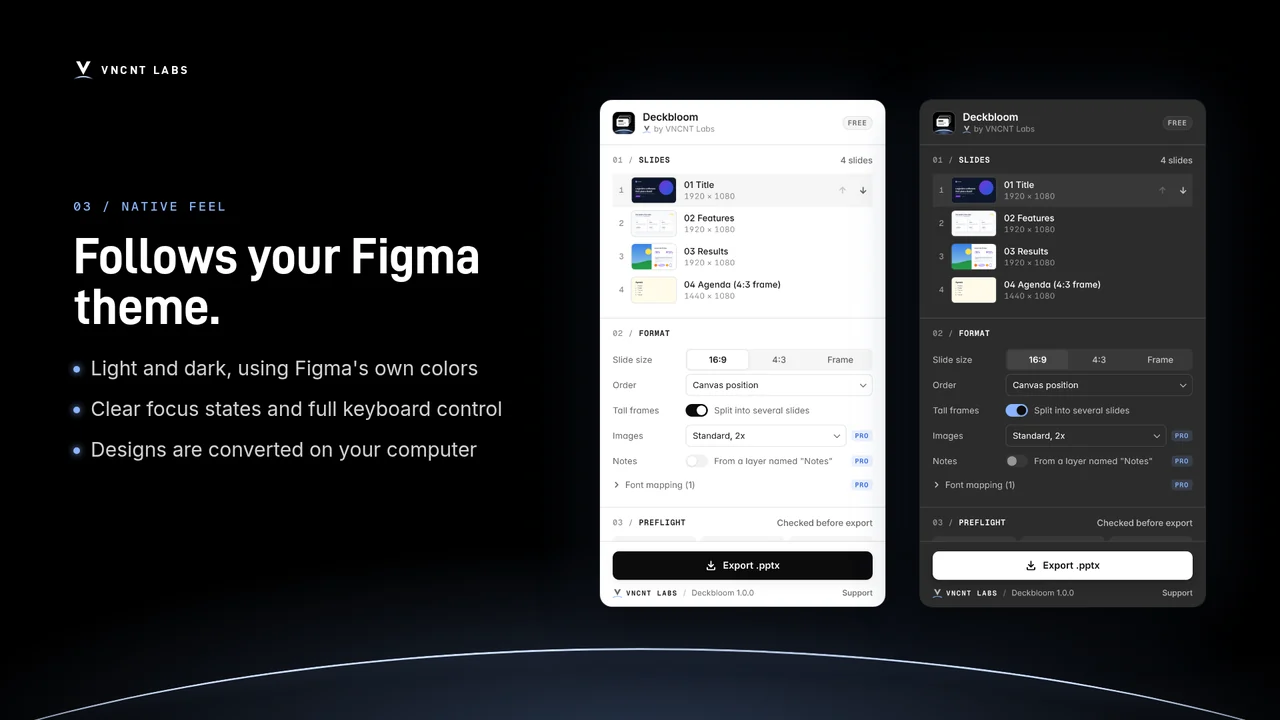
Select the frames you want as slides, or a section. Check the preflight report, pick a slide size (16:9, 4:3 or your frame size) and an order, then click Export .pptx.
Text stays text
Font, size, weight, color, spacing, alignment, bullets, numbered lists and links. Rectangles, ellipses and lines keep their fills, strokes, corner radius, shadows and rotation.
Native, not screenshots
Linear and radial gradients become native PowerPoint gradient fills. Image fills become pictures you can replace. Frame backgrounds become slide backgrounds.
Web pages, split into slides
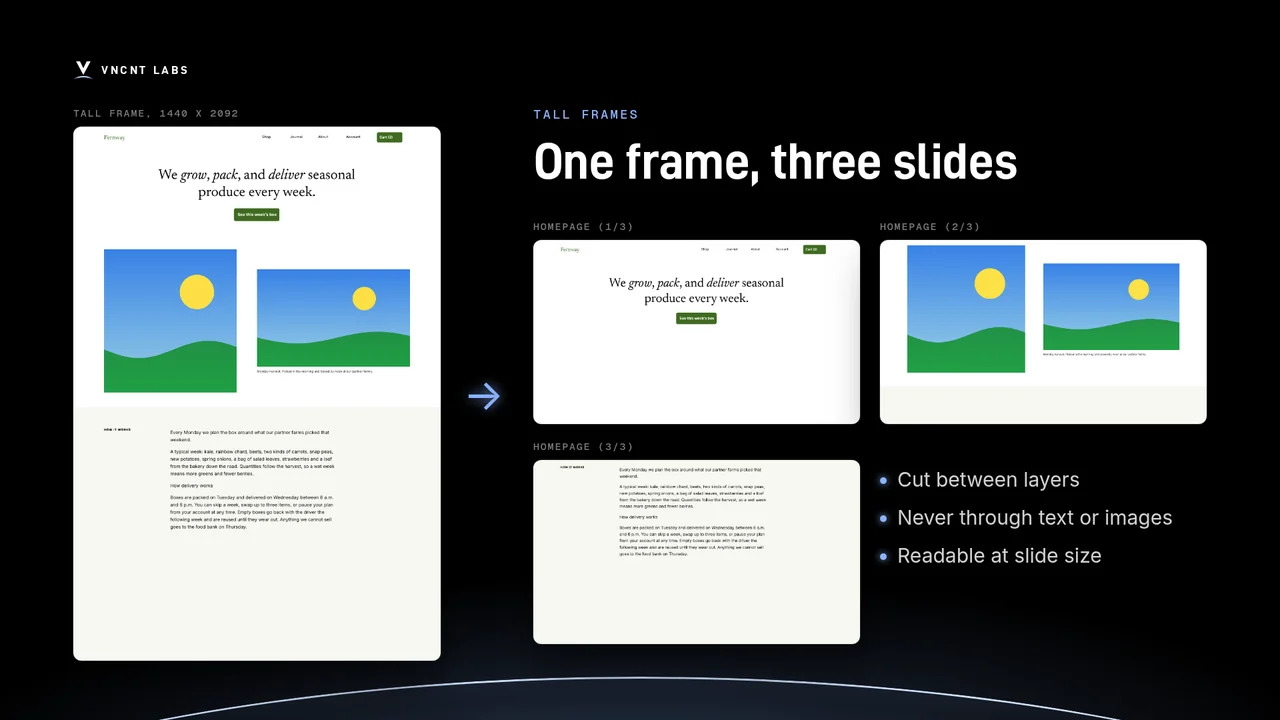
Tall frames can be split into several slides (on by default for 16:9 and 4:3). Cuts fall between layers, never through text or images, and slides are named Homepage (1/3), (2/3) and so on.
No surprises
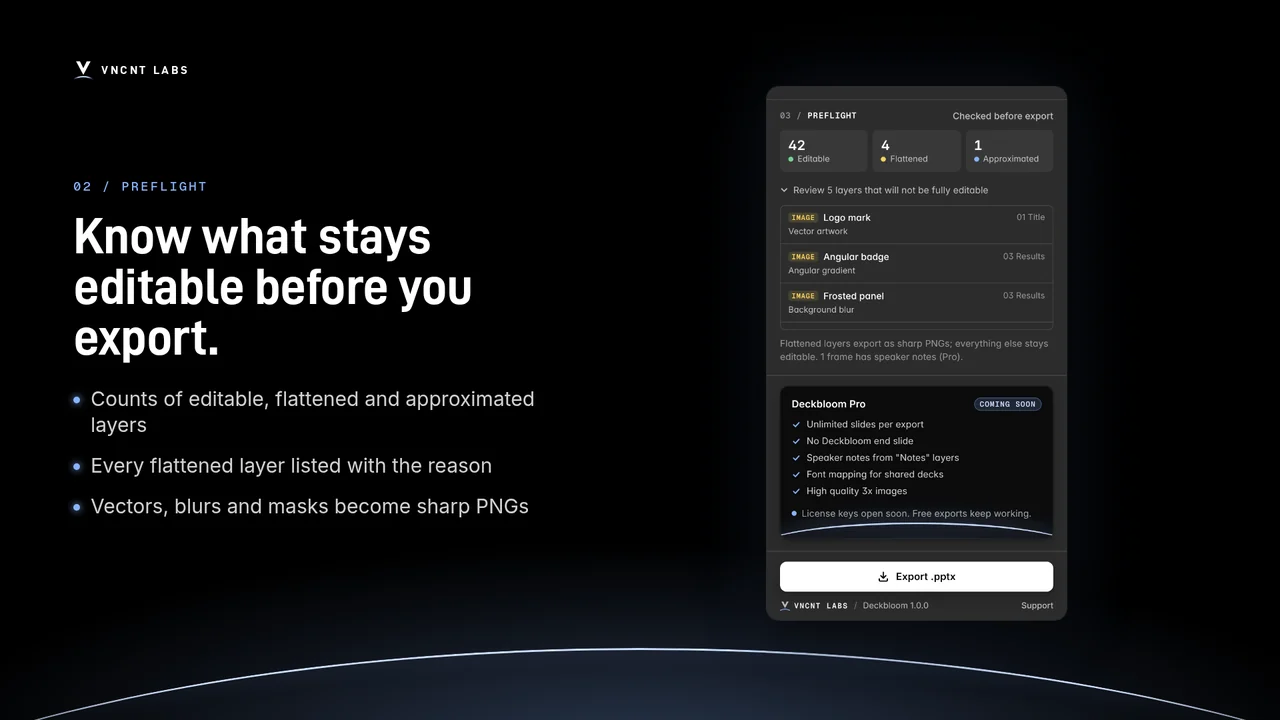
Vectors, icons, masks, blurs and blend modes are flattened to sharp PNGs one layer at a time, so the rest of the slide stays editable. The preflight report lists each one, and why, before you export.
Converted on your computer
Your design is converted inside the plugin, on your computer. Nothing is uploaded, and this version makes no network requests.
Free now, Pro soon
Up to 10 slides per export, everything above, the preflight report and tall-frame splitting. Adds one “Exported with Deckbloom” end slide, which you can delete.
Unlimited slides per export, no end slide, speaker notes from a text layer named “Notes”, font mapping for recipients without your fonts, and 3x image quality for flattened layers.
Pro is not available yet. The first release is the free version.
Tips
- Use text layers, shapes and auto layout for anything that must stay editable.
- Fonts must be installed on the computer that opens the deck.
- Google Slides: upload the .pptx to Google Drive, then open it with Google Slides.
Deckbloom
Support: [email protected] · Contact
Deckbloom is an independent product of VNCNT Labs. Figma is a trademark of Figma, Inc. PowerPoint is a trademark of Microsoft Corporation. Keynote is a trademark of Apple Inc. Google Slides is a trademark of Google LLC. Not affiliated with or endorsed by any of them.