 Extensions · Edge, Firefox & Opera · v1.0 · Productivity
Cuefill
Type ;addr. Get the whole address. Free, with no snippet cap.
You type the same replies, addresses and sign-offs all day. Plenty of text expanders fix that, then cap your free snippets, ask you to make an account and keep your snippets on their servers. Cuefill turns a short abbreviation into the full text right where you type, opens a small form when a snippet has blanks, and keeps everything in your browser.
Free: every feature, no account, no paid tier.
What it does
- Expands as you type
- Fill-in forms
- Smart dates
- Search palette
- Import & export
- Nothing sent
Short keys, full text
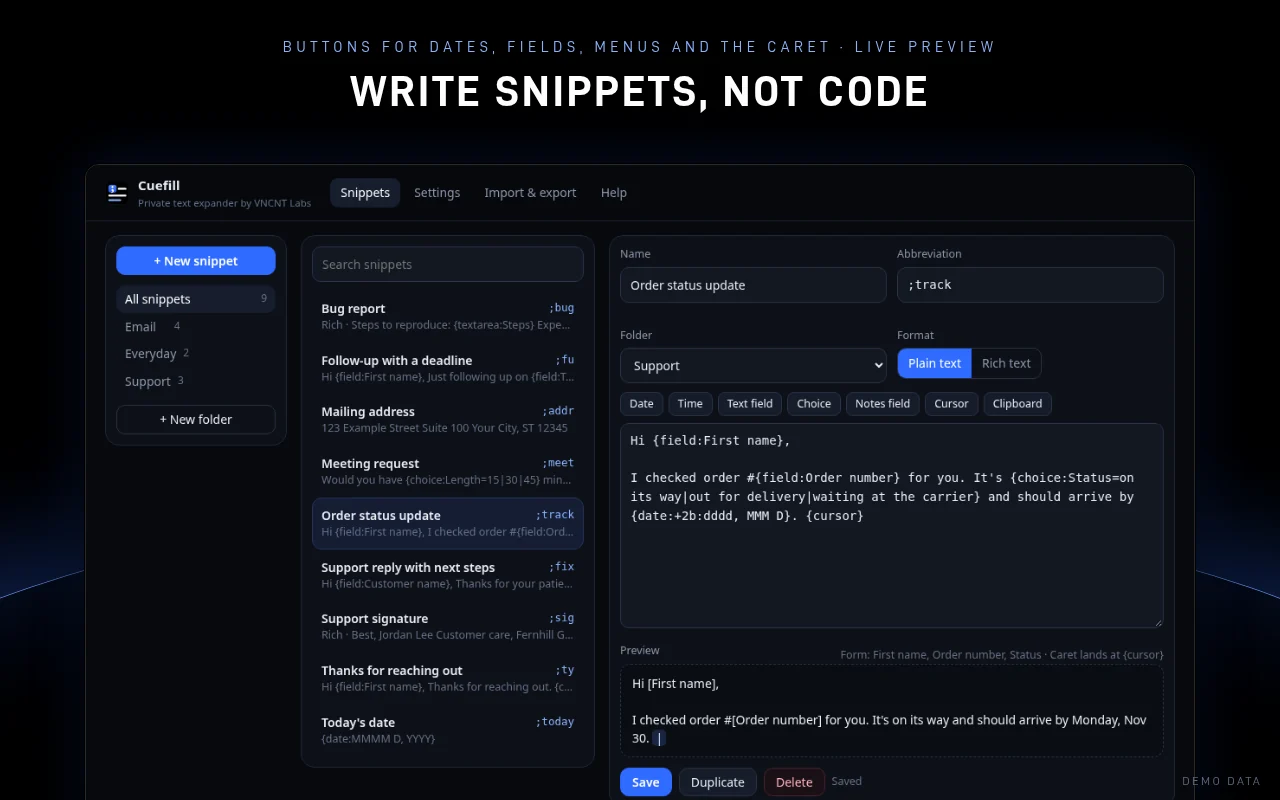
Type ;sig, ;addr or any abbreviation you pick in a text box, text area or rich editor, and it turns into your saved text. Rich snippets keep bold, italic and links. Backspace right after brings the abbreviation back.
One snippet for every customer
Add blanks for a name or an order number, a multi-line box or a menu of choices. A small form opens with a live preview, Enter inserts and Esc cancels.
Dates that do the math
Today, three days from now or two business days from now, in the format you want. Times too. {cursor} puts the caret where you need it after the text goes in.
Forgot the abbreviation?
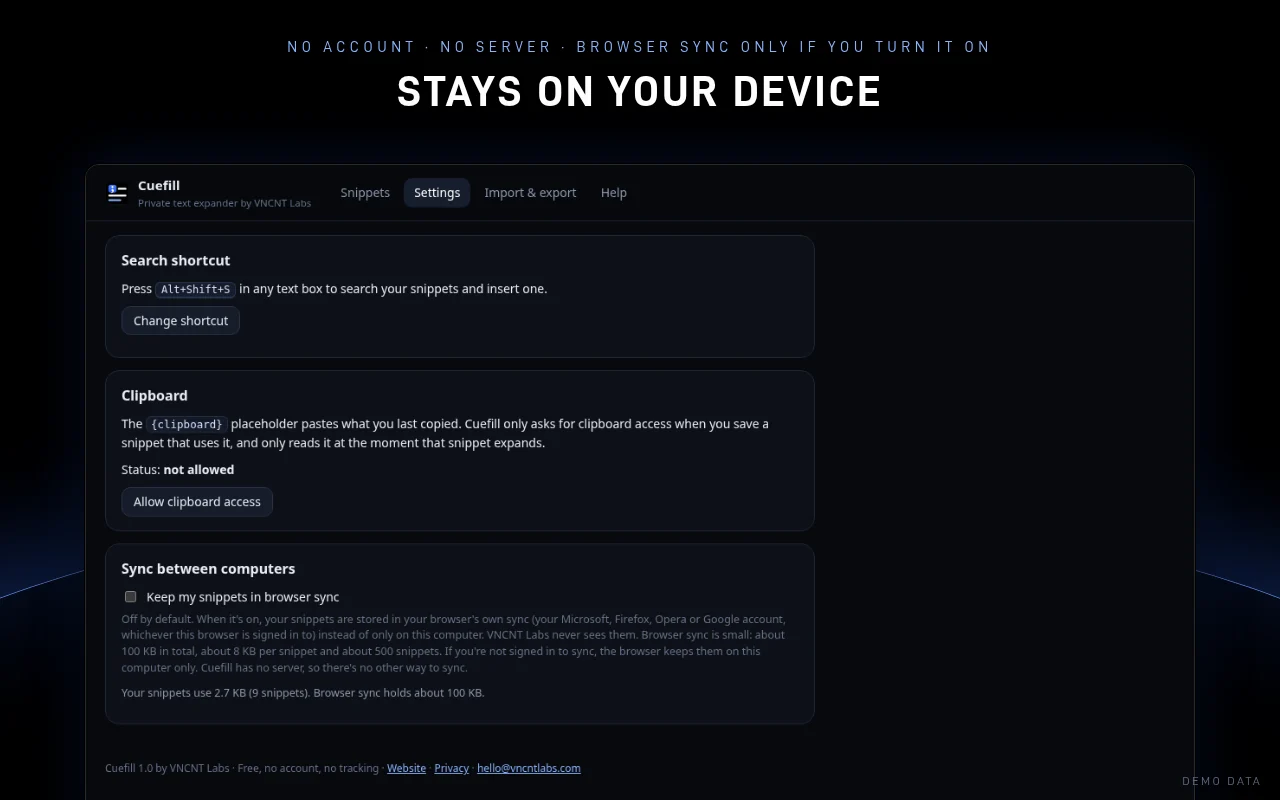
Press Alt+Shift+S in any text box, type a few letters of a snippet's name, abbreviation or text, and press Enter.
Folders, search and clash warnings
Group snippets in folders, search them, and get warned when one abbreviation is the start of another so nothing fires by surprise. Switch Cuefill off on one site from the toolbar.
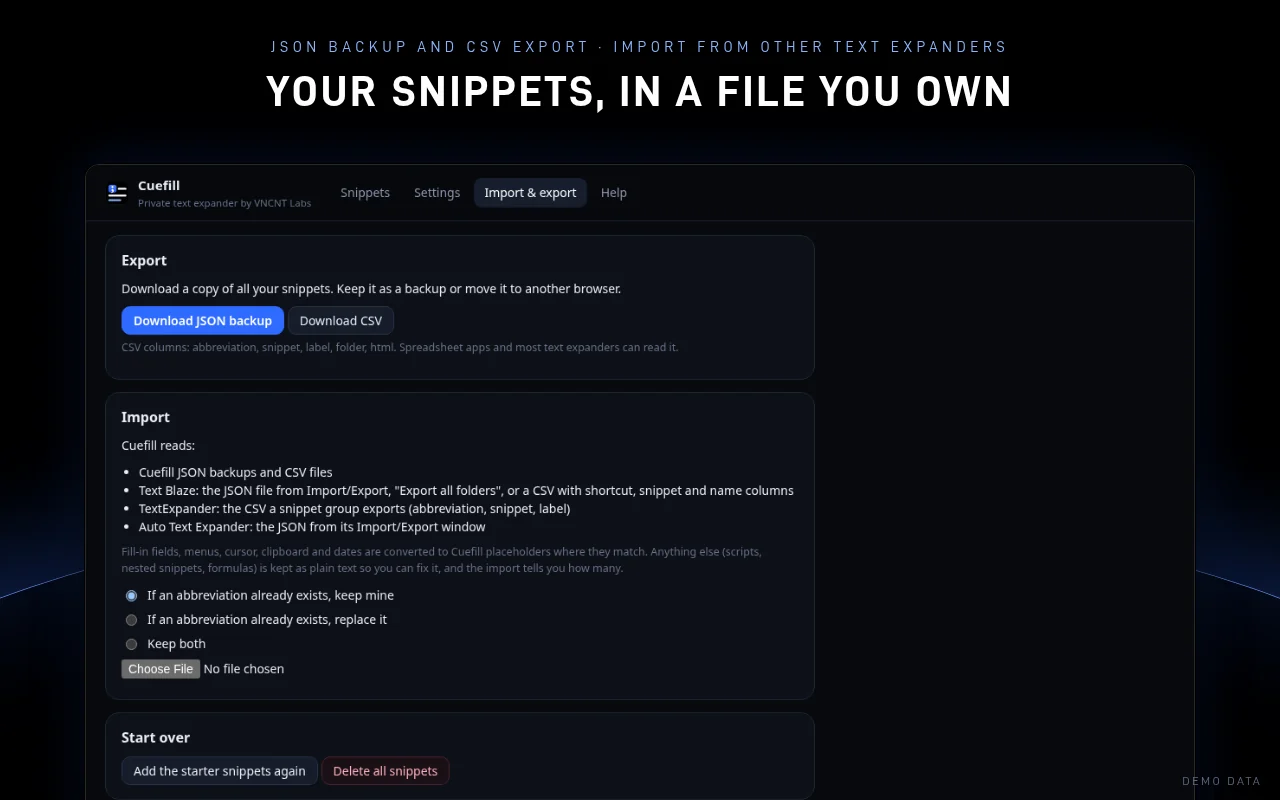
Import and export any time
Download a JSON backup or a CSV whenever you like. Import Cuefill files, CSV files, and exports from Text Blaze, TextExpander and Auto Text Expander.
A support reply in a few keystrokes
Recorded on a made-up mail page we built for testing. Every name and order is invented.
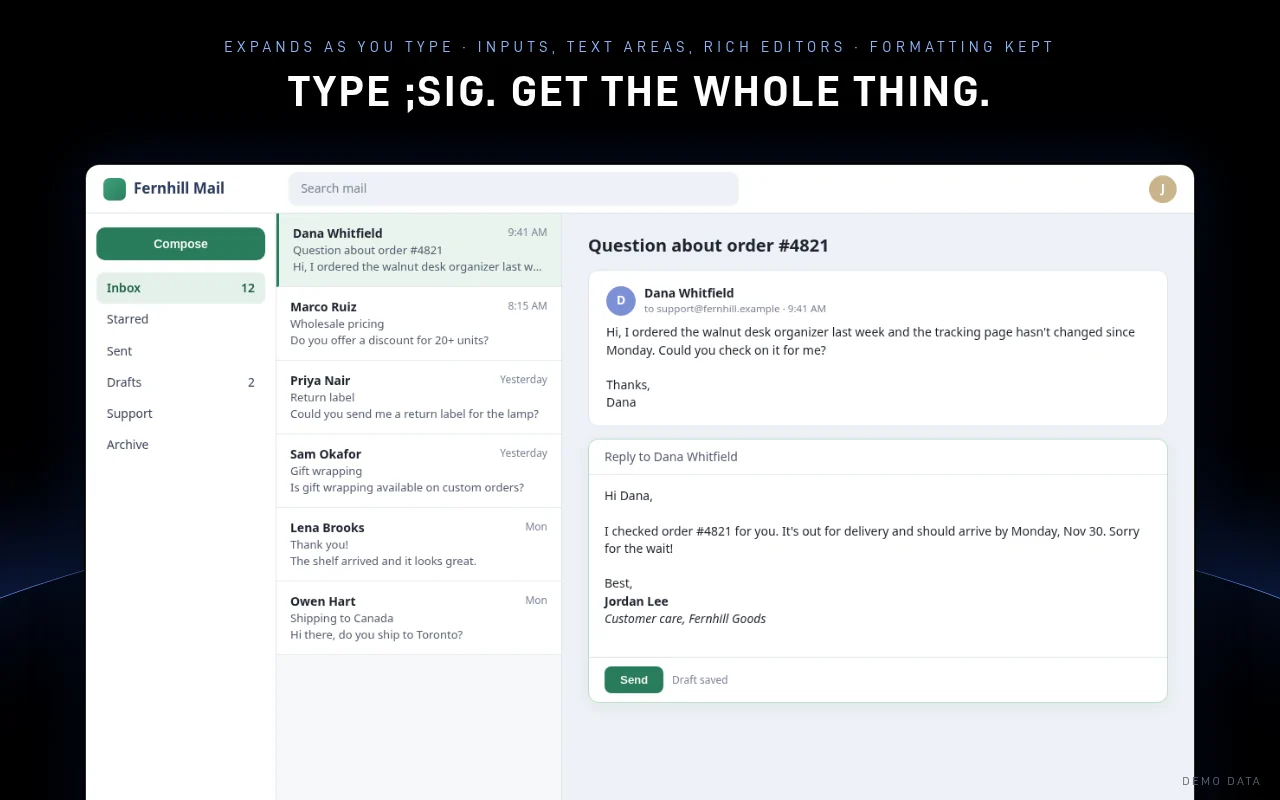
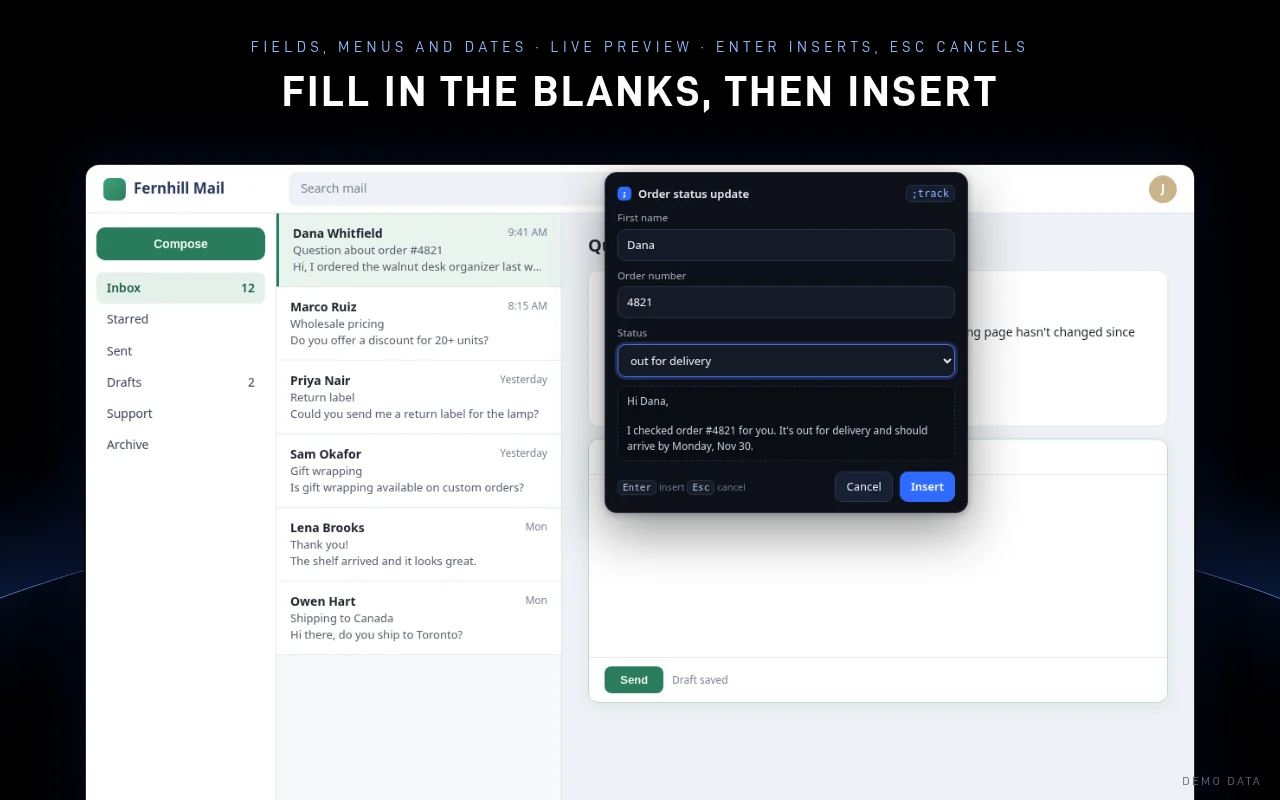
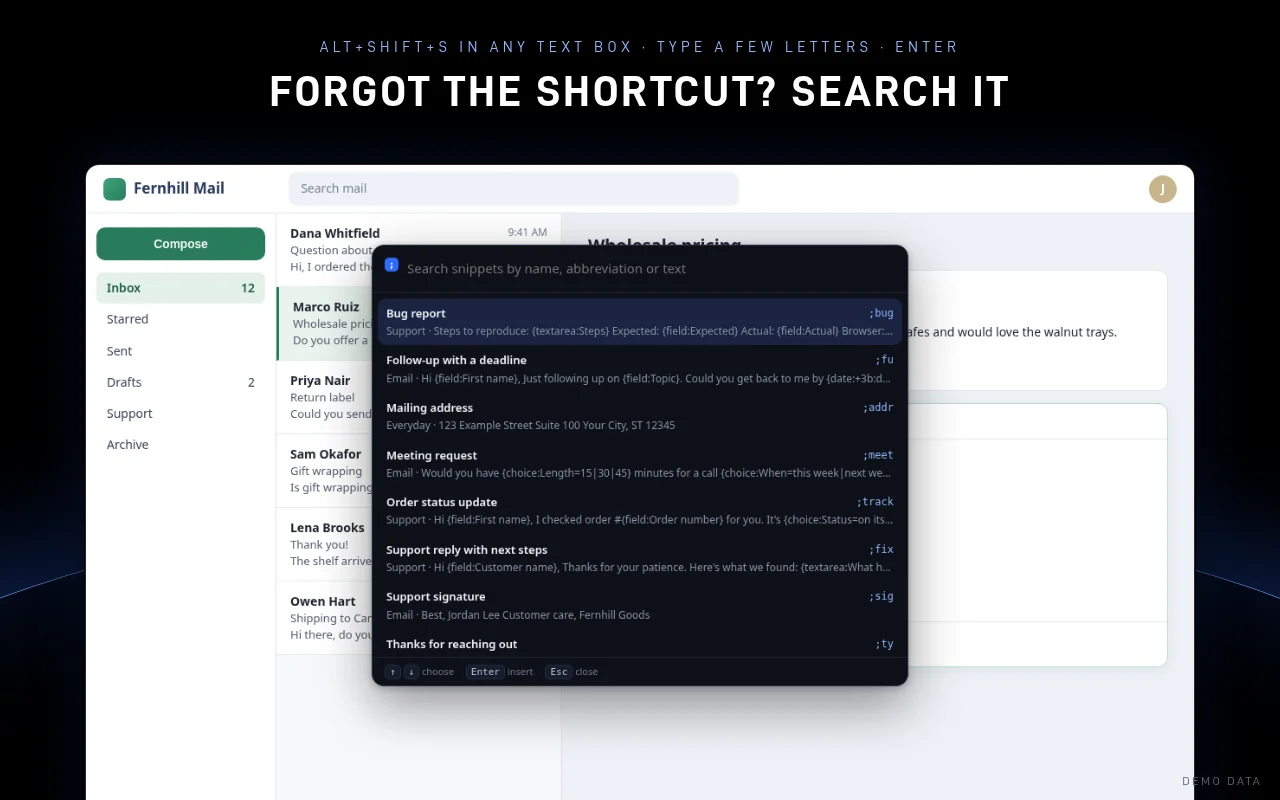
Screenshots show the same demo page and demo snippets, not a real company's mail.
What we checked before release
On November 26, 2026 Cuefill passed 38 of 38 end-to-end checks in Microsoft Edge 158 and in Chromium 156, 13 of 13 in Firefox 161 and Firefox 142, and 57 of 57 unit tests. The checks type real keys into plain inputs, text areas, rich editors, a shadow DOM input, an editor inside a frame and a mail page with a strict Content Security Policy. They also type into real editors on public demo pages: ProseMirror, Quill, CKEditor 5, Draft.js, Lexical and Slate, plus the Wikipedia search box and a W3Schools text area. Password fields were left alone in every run.
Free, all of it
Unlimited snippets, unlimited fill-in forms, dates, rich text, search, folders, import and export. No account, no licence, no paid tier and no donation prompts.
Your snippets stay with you
Cuefill keeps your snippets in your browser's storage on your computer, or in your browser's own sync if you turn that on. It has no server, makes no network requests and has no analytics, tracking or remote code. It reads only the few characters before the caret in the box you're typing in, and it never touches password fields.
Before you install
Is Cuefill free?
Yes. There's no snippet cap, no form cap, no trial, no paid plan and no account.
What permissions does it need?
Storage, to keep your snippets in your browser. It also runs on the web pages you visit so it can notice an abbreviation as you type it. It only looks at the characters right before the caret in the box you're typing in, keeps nothing it reads and never touches password fields. Clipboard access is optional and only asked for if you use the {clipboard} placeholder.
Where are my snippets stored?
In your browser's extension storage on your computer. If you turn on sync, they go into your browser's own sync instead, tied to the account your browser is signed in to. VNCNT Labs has no server for Cuefill and never sees them.
Does it send anything anywhere?
No. Cuefill makes no network requests. There's no analytics, no tracking, no ads and no remote code.
Can I bring my snippets from another text expander?
Yes. Cuefill imports its own JSON and CSV files, CSV files with abbreviation and text columns, and exports from Text Blaze, TextExpander and Auto Text Expander. Placeholders it can't match are kept as plain text and the import tells you how many.
What doesn't it do?
It doesn't work in Google Docs or other editors that draw text on a canvas, on browser pages such as settings or the new tab page, in add-on stores or in PDF viewers. There's no team sharing, no AI writing and no phone app.
Is it on Chrome?
Not right now. Cuefill is coming soon to Microsoft Edge Add-ons, Firefox Add-ons and Opera add-ons.
Known limits
- Google Docs and other editors that draw text on a canvas aren't supported.
- It can't run on browser pages (settings, new tab), add-on stores or PDF viewers.
- A few apps with unusual custom editors may need the search shortcut instead of typing the abbreviation.
- Browser sync holds about 100 KB in total, around 8 KB per snippet. With sync off, big libraries are fine.
- Abbreviations that start with a letter only fire at the start of a word. Start them with ; or / if you want them to fire anywhere.
Doing it by hand
Each of these shows a free way without any extension first.
Cuefill
Support: [email protected] · Contact
Cuefill is an independent product of VNCNT Labs. Text Blaze, TextExpander and Auto Text Expander are trademarks of their owners, named only to describe import formats. VNCNT Labs isn't affiliated with them. Microsoft and Edge are trademarks of Microsoft Corporation. Firefox is a trademark of Mozilla. Opera is a trademark of Opera Norway AS.