How to make text shortcuts in your browser for free
You type the same address, the same reply and the same sign-off many times a day. Browsers don't come with text shortcuts, but you can get close for free, and an extension can do the whole job.
The free way: autofill and a notes file
- For names, addresses and email: open your browser's settings, search for autofill and save your details there (in Edge it's under Profiles, Personal info). Address forms on websites will then offer to fill them.
- For everything else, keep a plain text file or a pinned note with the replies you reuse. Copy one, then paste it with Ctrl+V (Cmd+V on a Mac).
- On a Mac, System Settings, Keyboard, Text Replacements lets you add short replacements. Whether they fire depends on the app and the text box, so test it in the sites you use.
Autofill only helps with form fields, and copying from a notes file means switching windows every time.
The faster way
With Cuefill you save a snippet once and give it an abbreviation, such as ;addr. Type it in any text box, text area or rich editor and it turns into the full text right away. If you forget the abbreviation, press Alt+Shift+S, type a few letters and press Enter. Backspace right after an expansion brings the abbreviation back.
Start abbreviations with a symbol such as ; or / so they never clash with normal words.
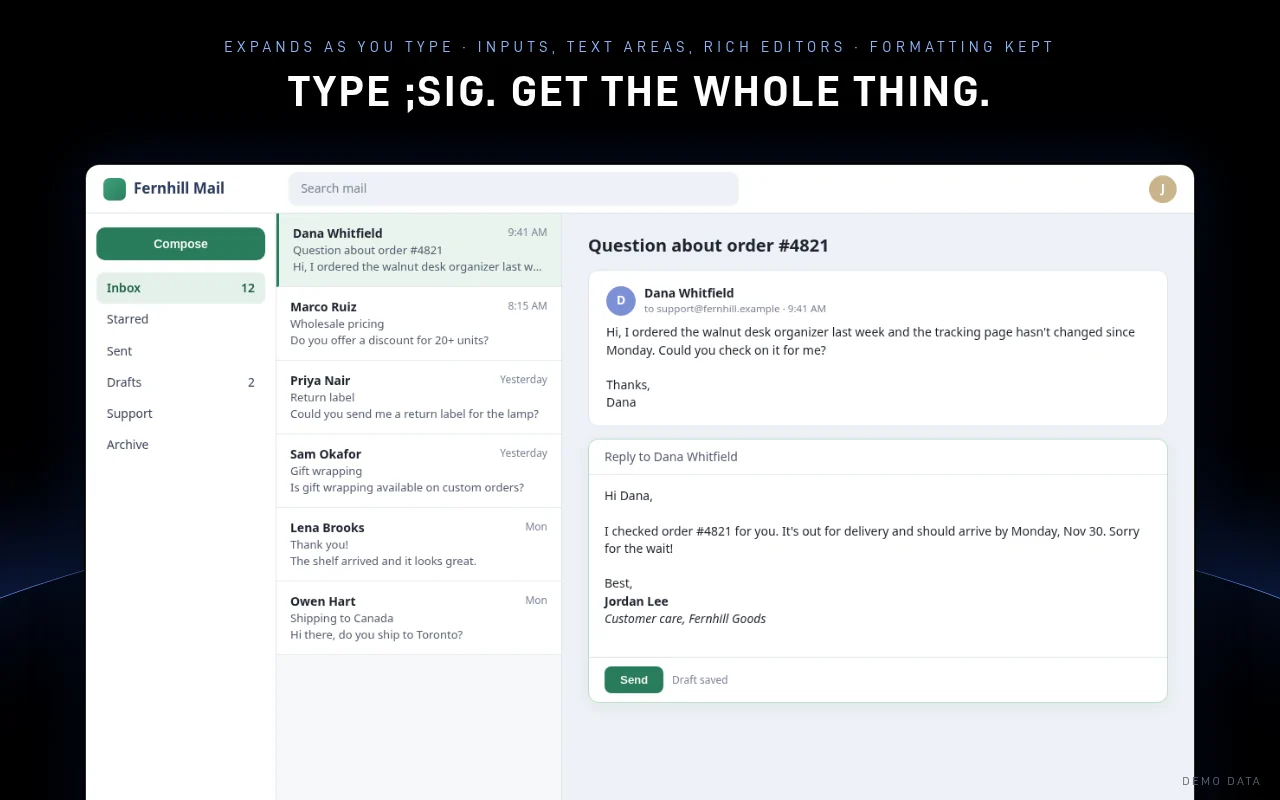
Cuefill is free, has no snippet cap, needs no account and sends nothing anywhere.
Microsoft Edge Add-ons: coming soonFirefox: coming soonOpera: coming soon
Microsoft and Edge are trademarks of Microsoft Corporation. Firefox is a trademark of Mozilla. Opera is a trademark of Opera Norway AS. Not affiliated with or endorsed by them.
Questions
Is there a limit on how many shortcuts I can make?
Cuefill doesn't set one. Snippets live in your browser's storage, which holds thousands of normal snippets. Browser sync, if you turn it on, holds about 100 KB in total.
Will it fire in the middle of a word?
Not if the abbreviation starts with a letter: those only fire at the start of a word. Abbreviations that start with ; or / fire wherever you type them.
Does it work in password fields?
No. Cuefill never reads or changes password fields.