How to save canned responses you can use on any site
Canned responses save time until you switch tools. The templates you saved in your mail app don't exist in your help desk, your chat tool or a contact form. Here's the free way and the way that works everywhere.
The free way: your mail app's templates
- Most webmail and help desk tools have a templates or saved replies feature, often under settings or in the compose window's menu. In Gmail it's Settings, See all settings, Advanced, Templates. Turn it on and save a draft as a template from the compose window's three-dot menu.
- Repeat the same replies in every other tool you use, because each one keeps its own list.
- Keep a master copy in a document so the versions don't drift apart.
It works, but you maintain the same replies in several places, and some tools only allow a few or charge for more.
The faster way
Cuefill keeps one set of canned responses in your browser and inserts them in any text box on any site. Type an abbreviation like ;track and the reply goes in. Rich snippets keep bold, italic and links where the editor supports them. Snippets with blanks open a small form first, so one reply works for every customer.
Your replies stay in your browser. Export a JSON backup or a CSV whenever you like, and import replies you already have from another text expander.
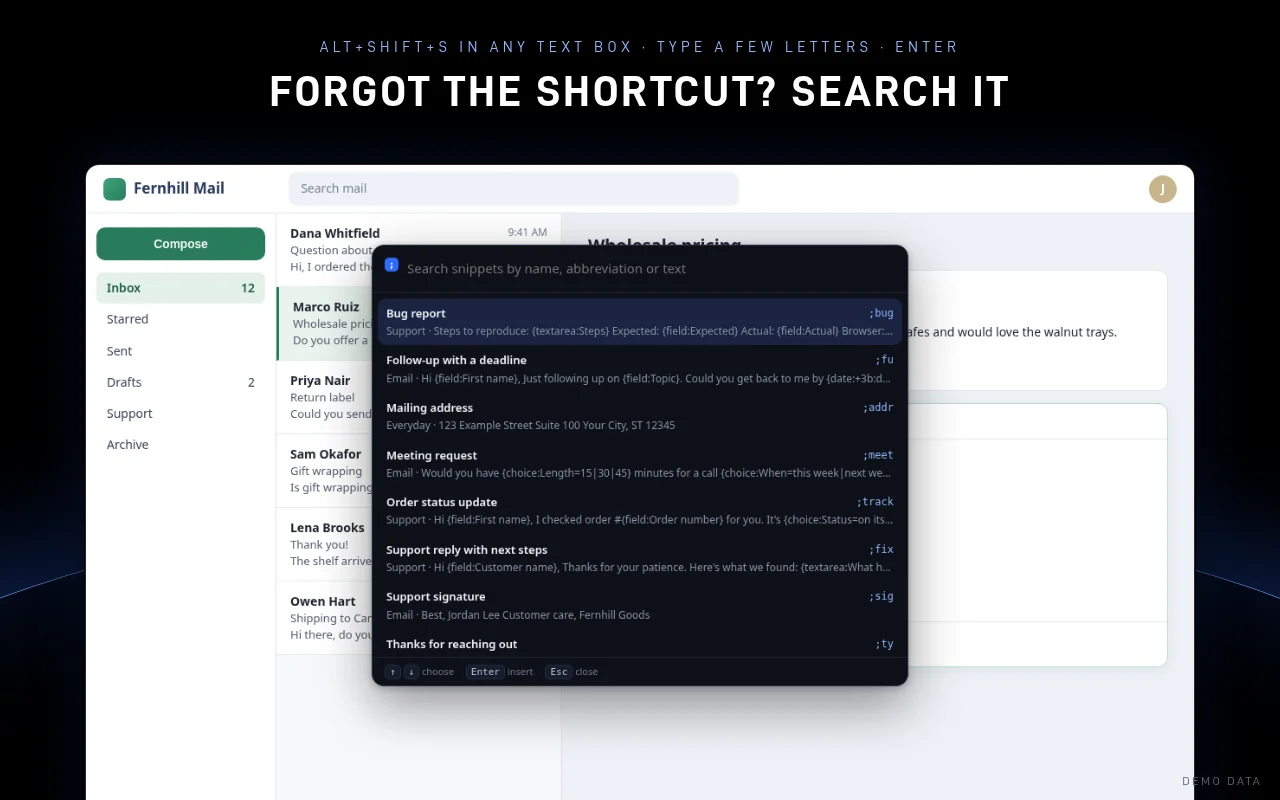
Cuefill is free, has no snippet cap, needs no account and sends nothing anywhere.
Microsoft Edge Add-ons: coming soonFirefox: coming soonOpera: coming soon
Microsoft and Edge are trademarks of Microsoft Corporation. Firefox is a trademark of Mozilla. Opera is a trademark of Opera Norway AS. Not affiliated with or endorsed by them. Gmail is a trademark of Google LLC.
Questions
Can I keep formatting like bold and links?
Yes. Switch a snippet to Rich text in the editor. Rich editors keep the formatting. Plain text boxes get the plain version.
Can my team share the same replies?
Not built in. Cuefill has no server, so there's no shared library. You can export a file and a teammate can import it.
Does it work in Google Docs?
No. Google Docs draws text on a canvas instead of using a normal text box, so Cuefill can't insert there.