 Extensions · Firefox · v1.0 · Design
Stylenab
Free on Firefox
What font is that? Which blue? How much space? Know in one click.
You like how a site looks and want to reuse it, but finding the font, the exact colors and the spacing means digging through developer tools and copying values one by one. Stylenab shows them the moment you point at something, and copies any value with a click. It runs only on the tab you open it on, and nothing leaves your browser.
Free: every feature, no account, no paid tier.
What it does
- Real rendered font
- Colors & contrast
- Measure gaps
- Palette export
- Images & SVG
- Nothing sent
Point at it, see how it's made
Hover any element for its font, size, weight, line height, colors, radius and shadow, plus a WCAG contrast grade. Copy its CSS in one click.
The exact gap, in pixels
Click to pin one element, hover another, and the distance between them is drawn on the page. Margin, border and padding show as colored rings.
Every color, by how much it's used
Filter by text, background, border, SVG or shadow. Show where a color is used. Switch between HEX, RGB, HSL and OKLCH.
The whole palette, ready to paste
CSS variables, Tailwind v4 theme, Tailwind v3 config, SCSS, JSON, a GIMP or Inkscape palette, or a plain list. Merge near-identical shades first if you want.
The font that's actually drawn
Not just the first name in the font stack. See each family with its weights and sizes, and every text style with ready-to-paste CSS.
Images and SVG icons
Images, inline SVG icons, CSS backgrounds and favicons in one grid. Copy an icon's SVG code, save files, or copy every image link at once.
Fifteen seconds, start to finish
Recorded on a made-up shop page we built for testing.
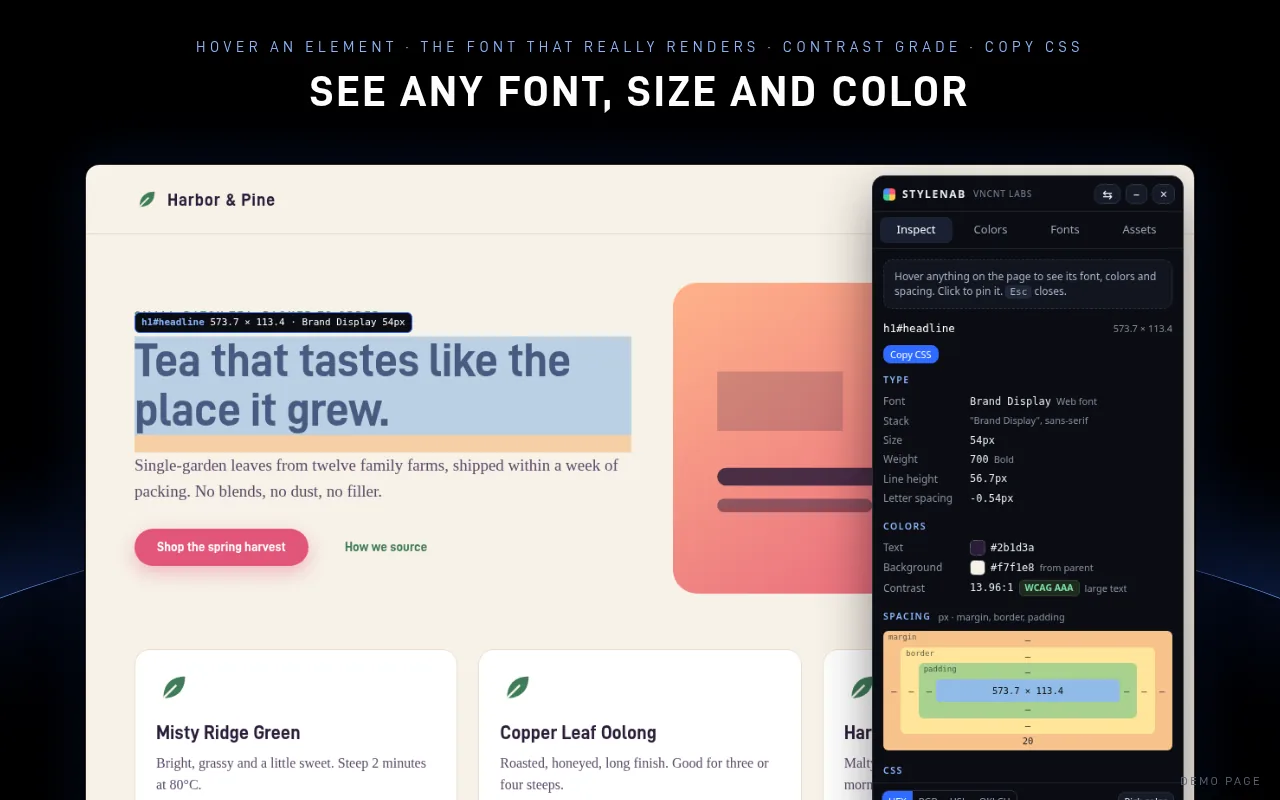
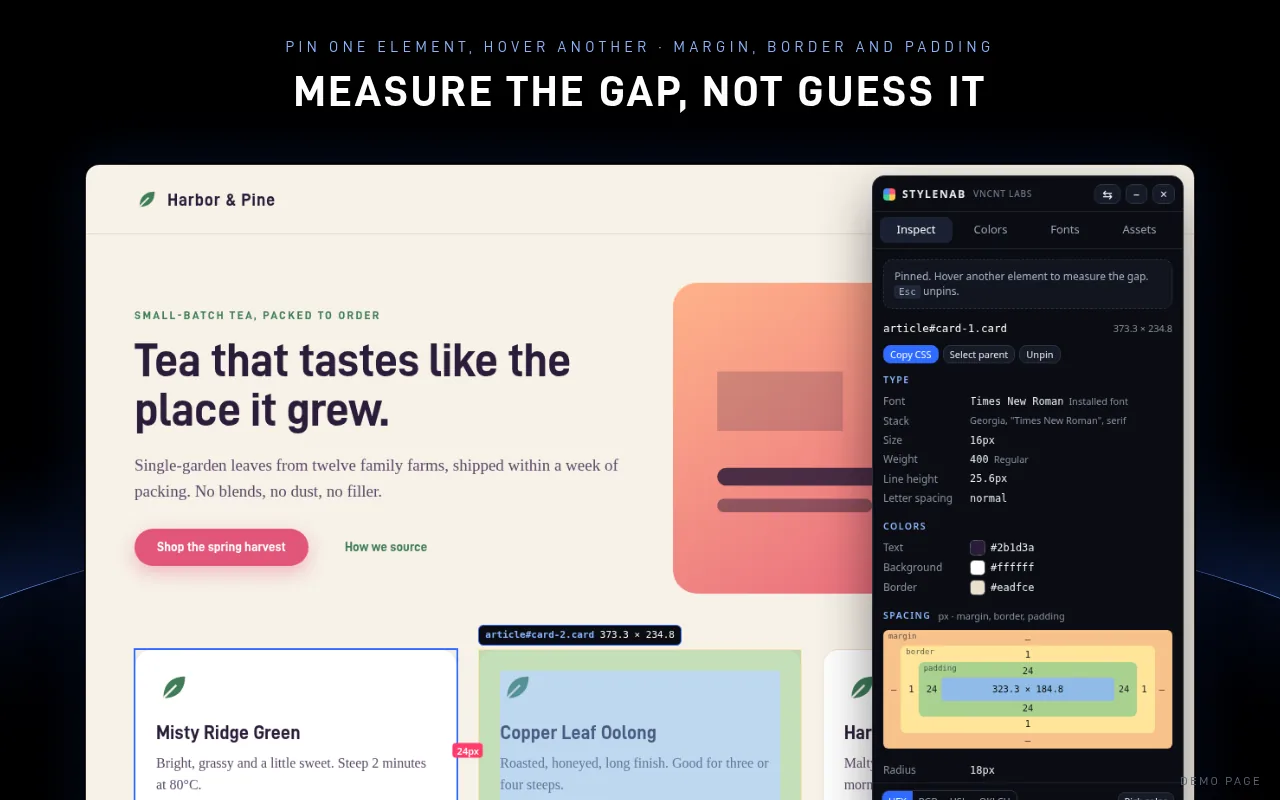
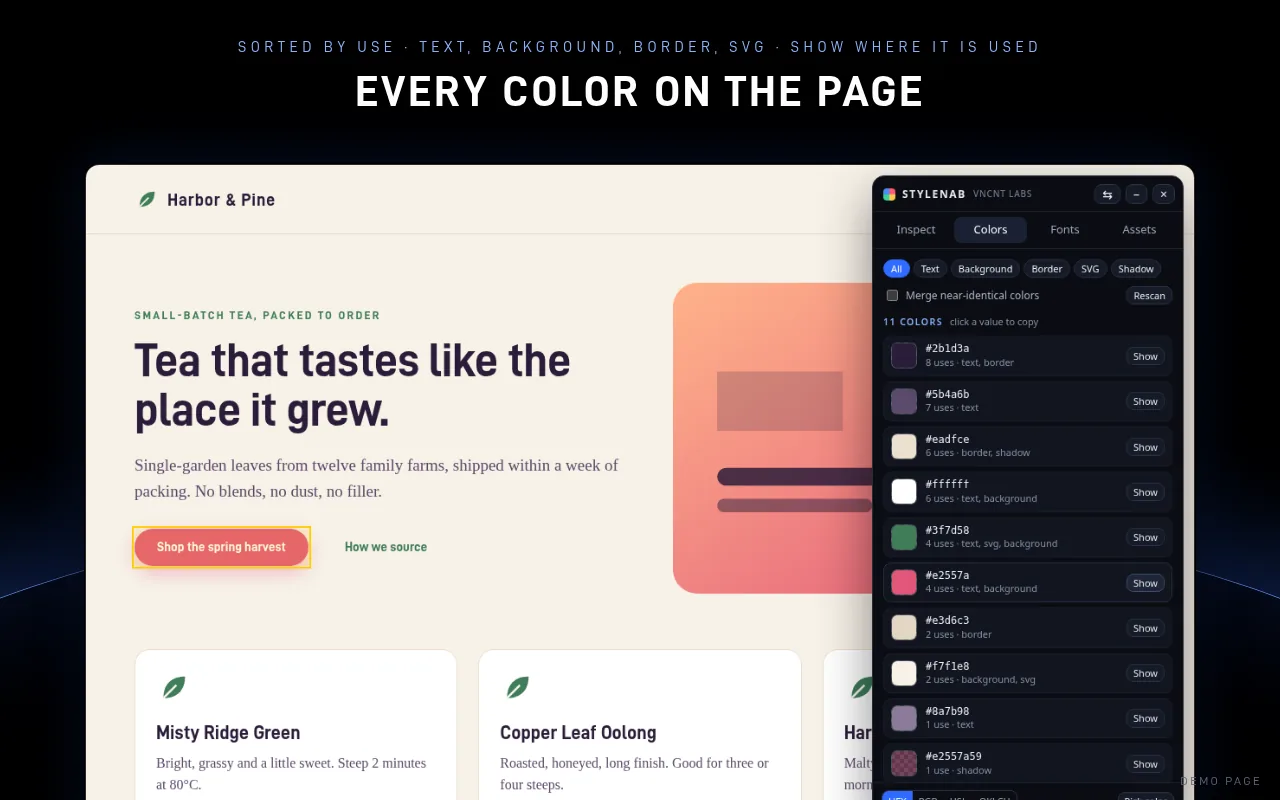
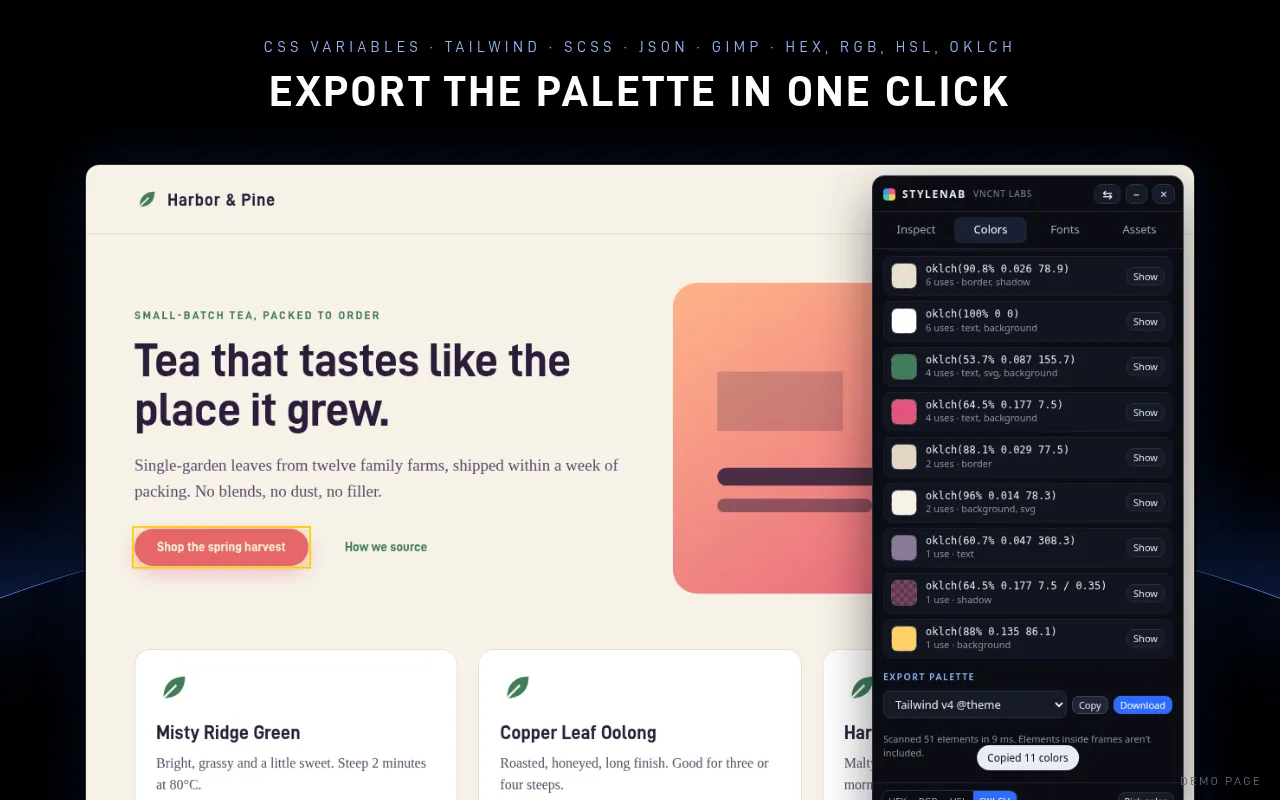
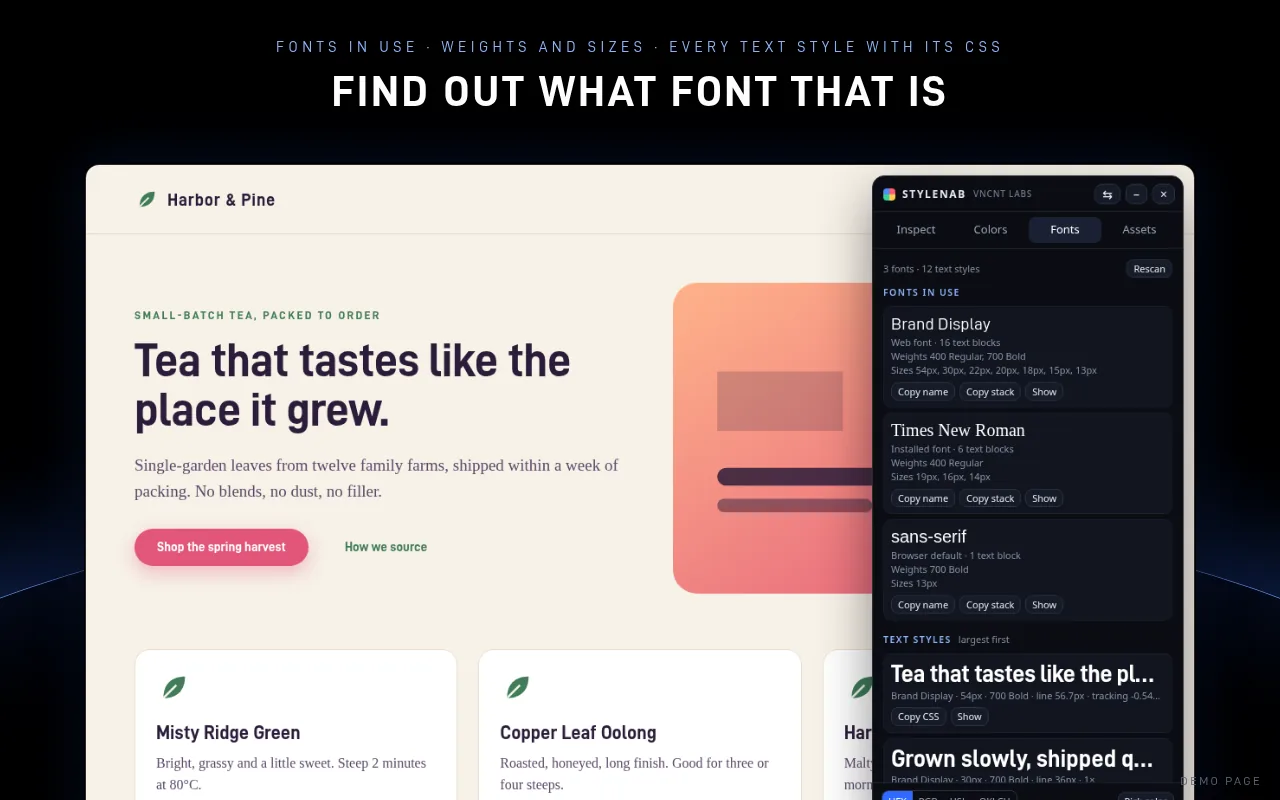
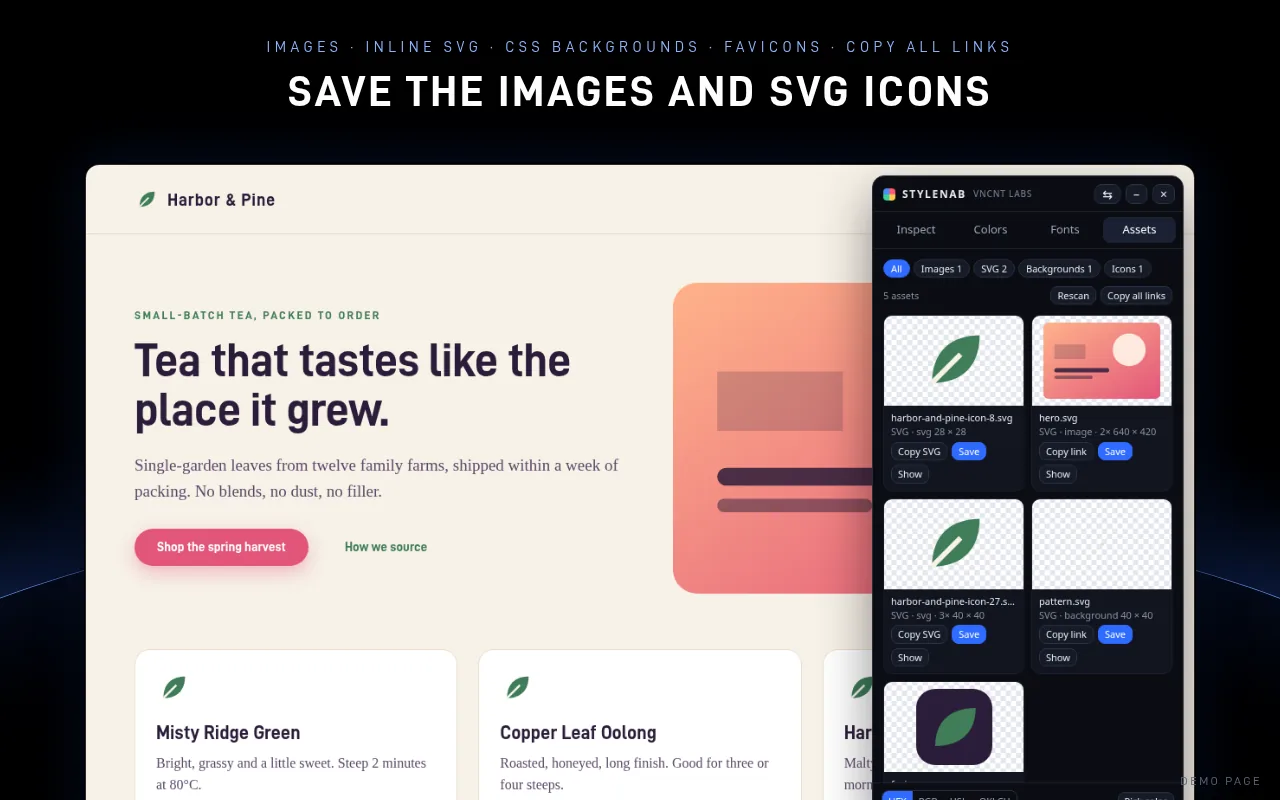
Screenshots show the same demo page, not a real company's site.
What we checked before release
We test Stylenab in Microsoft Edge 156 on our own demo pages and on real public pages: example.com, a long Wikipedia article, an MDN docs page and this site. On Wikipedia's “Color” article it read about 3,700 elements in roughly a tenth of a second. It also works on a page with a strict Content Security Policy, and on browser pages it can't open it shows a red “!” on its icon instead of failing silently.
Free, all of it
Inspect, measure, colors, palette export, fonts, assets and the color picker. No account, no licence, no paid tier and no donation prompts.
It only sees the tab you open it on
Stylenab asks for two permissions, activeTab and scripting, so it gets access to a tab only when you click its icon there. It stores nothing and sends nothing to VNCNT Labs. No analytics, tracking or remote code.
Before you install
Is Stylenab free?
Yes. Every feature is free, with no account, no paid tier, no trial and no donation pop-ups.
What permissions does it need?
Two: activeTab and scripting. It gets access only to the tab you click it on, only when you click it. It cannot read your other tabs or any site in the background.
Does it send my data anywhere?
No. Everything happens in your browser. VNCNT Labs has no server for this extension, and there is no analytics, tracking or remote code.
Does it change the page?
No. It draws its panel and outlines on top of the page and removes them when you close it. While you inspect, clicks pick elements instead of following links. Switch to another tab of the panel and the page works normally.
What doesn't it do?
It can't open on browser pages (edge://) or the Add-ons store, it doesn't read inside iframes, and it isn't a code editor: it shows and copies values, it doesn't change the site.
Is it on Chrome?
Not right now. Stylenab is available on Firefox Add-ons today, and it's coming soon to Microsoft Edge Add-ons.
Known limits
- It can't open on browser pages (edge://), the Add-ons store or some built-in viewers. The icon shows a red “!” there.
- Elements inside iframes aren't included.
- On very large pages it reads the first 8,000 elements.
- Some sites don't let their images be downloaded from another page. Save then opens the image in a new tab so you can save it there.
- Settings such as HEX or OKLCH reset when you close the panel, because the extension stores nothing.
Doing it by hand
Each of these shows the free way with your browser's built-in tools first.
Stylenab
Support: [email protected] · Contact
Stylenab is an independent product of VNCNT Labs. Microsoft and Edge are trademarks of Microsoft Corporation. Tailwind is a trademark of Tailwind Labs Inc., used only to describe export formats. Firefox is a trademark of Mozilla. Not affiliated with or endorsed by Mozilla.