How to find out what font a website uses
You spot a heading you like and want the same font. The catch is that a site lists several fonts in a “stack”, and the one you see is the first one your computer can actually draw. Here's how to find the real one.
The free way: your browser's developer tools
- Right-click the text and choose Inspect.
- In the panel that opens, select the Computed tab and scroll to font-family, font-size, font-weight and line-height.
- The font-family line is the stack, not the answer. Scroll to the bottom of the Computed tab to Rendered Fonts. That's the font your screen is really using, and whether it's a web font or one installed on your computer.
- Repeat for the body text, buttons and anything else you want to match.
The one-click way
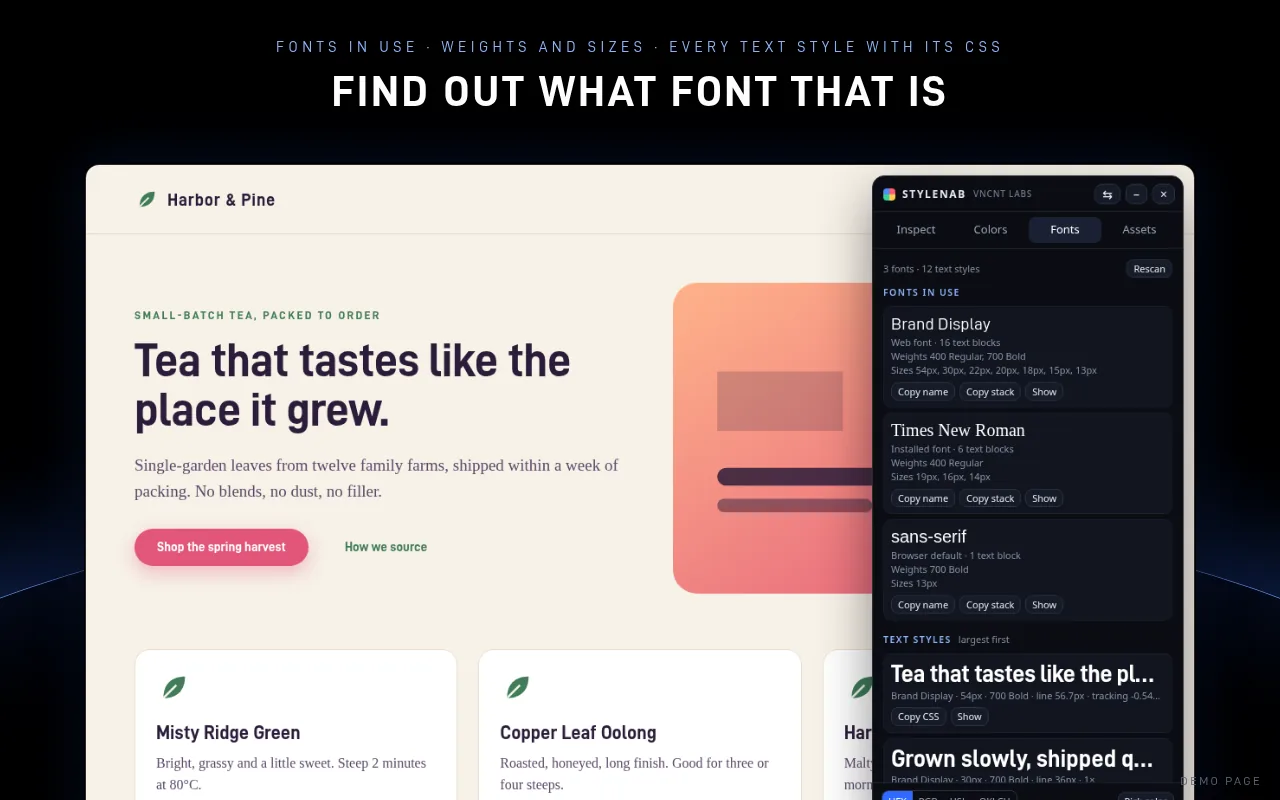
Click the Stylenab icon and hover the text. The panel shows the font that's really drawn, whether it's a web font or installed, plus size, weight, line height and letter spacing. Click any value to copy it. The Fonts tab lists every family on the page with its weights and sizes, and every text style with CSS you can paste.
Stylenab is free, asks only for access to the tab you click it on, and sends nothing anywhere.
Get it on FirefoxMicrosoft Edge Add-ons: coming soon
Firefox is a trademark of Mozilla. Not affiliated with or endorsed by Mozilla.
Questions
Why does the font name not match what I see?
Sites list several fonts in order. If the first one doesn't load or isn't installed, the browser moves to the next. The font you see is the first one that works on your computer.
Can I download the font?
Not from the page, and you usually shouldn't. Many fonts are licensed. Use the name to find the font on its publisher's site or a free alternative.
Does this work for text inside images?
No. Images are pictures, not text, so there's no font information to read.